Back to the shop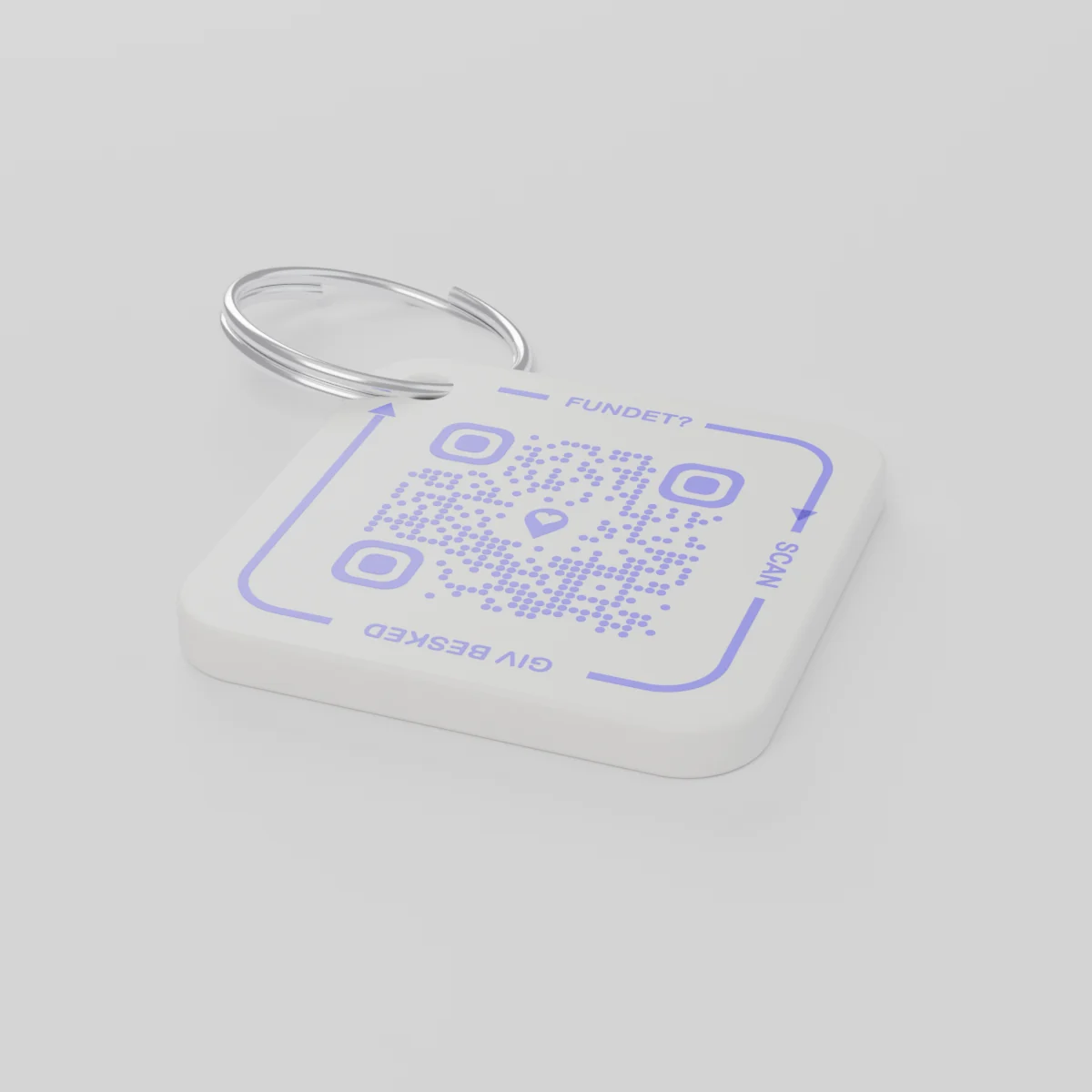
Pre-orderShips by December 14, 2026
AYA Keychain
3D-printed tag for your keys. Whoever finds them scans it and lets you know.
Price
Quantity
1 QR code
1
Shape
The price is the same whatever you choose.
Total
£13.99
First year included
An everyday example
Where did the keys go?
- They slipped out of her pocket into the snow at the Christmas market, and she only notices at her front door.
- Someone else finds them and scans the key tag with a phone.
- She gets a message on her phone and agrees where the keys can be picked up.
The finder sees neither your number nor your address.
AYA or a GPS tag?
A tracker shows where a thing is. AYA lets the finder give it back.
GPS tracker, e.g. AirTag
Helps you see where the thing is.
- You can see where the thing is
- Whoever finds it has no easy way to reach you
- You have to go get it yourself
The AYA platform
Lets whoever finds it give it back.
- The finder reaches you with one scan - no app
- Anonymous and auto-translated across 117 languages
- Works fine alongside your tracker
Does AYA work without a GPS tracker or AirTag?
Yes. AYA is a contact platform. It works on its own and alongside a tracker.
What you can do
- More people can be told: share the tag with your partner, for example, so you are both told when someone finds the keys. See Share a product with the other parent.
- Report missing and offer a reward: if your keys go missing, tap Report missing in the settings. You are told at every scan and can write a message for whoever scans and offer a finder's reward. You settle it yourselves; AYA handles no money.
- Message for the finder: tap Edit to change the name, the message and What is it attached to? (for example House keys). Tap Save.
- See what the finder sees: open the tag and look at The finder sees, exactly what the finder will see.
- Pause: if you do not want to be contacted for a while, tap the Active button so it changes to Paused.
- 12 months or lifetime: the tag does not expire on its own. The platform plan takes care of renewal.
- Map and scan history: as on every AYA product.
What the finder sees
- "You found" with your name and keychain.
- Your message under Message from the owner, as you wrote it.
- Share my location, a voice call and a message with a photo to you. Your phone number is never shown.
- The AYA Keychain has no video call.
How to activate
- Put the tag on your keys and scan the QR code with your phone's camera. You can also tap Activate my AYA product on the home screen in the app.
- Enter your name under Your name. It is shown to the finder, so they know whose keys they are.
- If you like, write a Message for the finder, for example "Please hand them in at reception". The message is shown exactly as you write it and is not translated.
- If your account has no email address, you are asked to add one before the tag becomes active. With the email address you can log in from any device. See Add an email address.
- Activate. The tag now sits on the home screen in the app.
Never write your address or codes in the message for the finder. The message can be at most 160 characters.
Product details
- Material
- PETG plastic on a metal split ring
- Dimensions
- 42 × 42 × 4.2 mm
- Colour
- White with a violet QR code
- QR code
- Printed in violet as part of the tag, unique to every tag
- In the box
- 1 tag with a split ring
Product safety
Product
AYA Keychain
Variant: AYA-KC-STD
Safety information
- The product is not a toy.
- Contains small parts that can be swallowed.