Toe foʻi i le faleoloa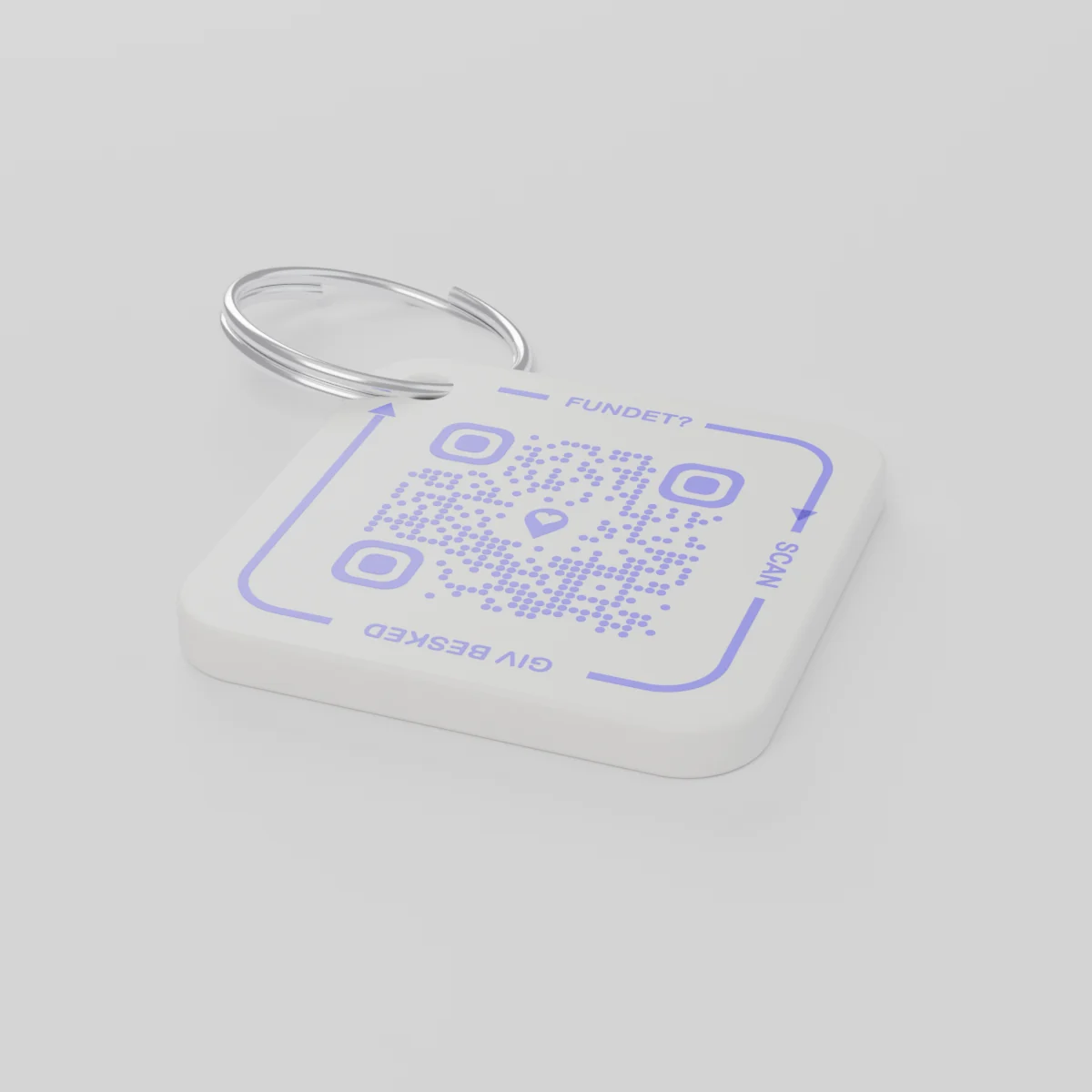
Oka muamuaE lafo e le silia le December 14, 2026
AYA Keychain
Faʻailoga lomitusi 3D mo au kī. O lē na te mauaina e sikeni le kota QR ma faʻailoa atu ia te oe.
Tau
Aofaʻi
1 kota QR
1
Foliga
E tutusa le tau, po o le a lava le mea e te filifilia.
Aofaʻiga atoa
€16.99
Ua aofia ai le tausaga muamua
O se fa'ata'itaiga mai le olaga i aso uma
O fea na o i ai ki?
- Na pa'u'ese mai lana taga i le kiona i le maketi o le Kerisimasi, ma na'o le faitoto'a o le fale na ia iloa ai.
- E maua e se isi ma sikeni le pine o ki i le telefoni.
- E maua sana fe'au i lana telefoni ma malilie po'o fea e aumai ai ki.
E le va'ai le tagata e mauaina i lau numera po'o lou tuatusi.
AYA po o se faʻailoga GPS?
E faʻaalia e le masini suʻe le mea o loʻo iai le mea. AYA e mafai ai e le na te mauaina ona toe faʻafoʻi mai.
GPS masini suʻe, pei o le AirTag
Fesoasoani ia te oe e iloa le mea o loʻo iai.
- E mafai ona e vaʻai i le nofoaga tonu o loʻo iai
- O le tagata na te mauaina e leai se auala faigofie e aʻapa atu ai ia te oe
- E tatau lava ona e alu e aumai e oe lava ia
Tulaga o le AYA
Faʻafaigofie mo le na te mauaina ona toe faʻafoʻi mai vave.
- E fesoʻotaʻi le na te mauaina ma oe i le naʻo le tasi le suʻeina - leai se polokalama
- E le faʻaalia igoa ma faʻaliliu otometi i gagana i le 117
- E galue lelei faʻatasi ma lau GPS masini suʻe
E galue AYA e aunoa ma se masini saili GPS po o le AirTag?
Ioe. O AYA o se tulaga mo fesoʻotaʻiga. E galue na o ia, ma e lelei foi faatasi ma se masini saili.
What you can do
- More people can be told: share the tag with your partner, for example, so you are both told when someone finds the keys. See Share a product with the other parent.
- Report missing and offer a reward: if your keys go missing, tap Report missing in the settings. You are told at every scan and can write a message for whoever scans and offer a finder's reward. You settle it yourselves; AYA handles no money.
- Message for the finder: tap Edit to change the name, the message and What is it attached to? (for example House keys). Tap Save.
- See what the finder sees: open the tag and look at The finder sees, exactly what the finder will see.
- Pause: if you do not want to be contacted for a while, tap the Active button so it changes to Paused.
- 12 months or lifetime: the tag does not expire on its own. The platform plan takes care of renewal.
- Map and scan history: as on every AYA product.
What the finder sees
- "You found" with your name and keychain.
- Your message under Message from the owner, as you wrote it.
- Share my location, a voice call and a message with a photo to you. Your phone number is never shown.
- The AYA Keychain has no video call.
How to activate
- Put the tag on your keys and scan the QR code with your phone's camera. You can also tap Activate my AYA product on the home screen in the app.
- Enter your name under Your name. It is shown to the finder, so they know whose keys they are.
- If you like, write a Message for the finder, for example "Please hand them in at reception". The message is shown exactly as you write it and is not translated.
- If your account has no email address, you are asked to add one before the tag becomes active. With the email address you can log in from any device. See Add an email address.
- Activate. The tag now sits on the home screen in the app.
Never write your address or codes in the message for the finder. The message can be at most 160 characters.
Faʻamatalaga o le oloa
- Mea na fai ai
- Palasitika PETG i luga o se mama vaelua uʻamea
- Fua
- 42 × 42 × 4.2 mm
- Lanu
- Paʻepaʻe ma se kota QR viole
- Kota QR
- Ua lolomi i le lanu viole o se vaega o le faʻailoga, e tasi lava mo faʻailoga taʻitasi
- O mea i totonu o le pusa
- 1 faʻailoga ma se mama vaelua
Saogalemu o oloa
Oloa
AYA Keychain
Ituaiga: AYA-KC-STD
Faʻamatalaga o le saogalemu
- O le oloa e le o se meataalo.
- E iai ni vaega laiti e mafai ona folo.