Buyela esitolo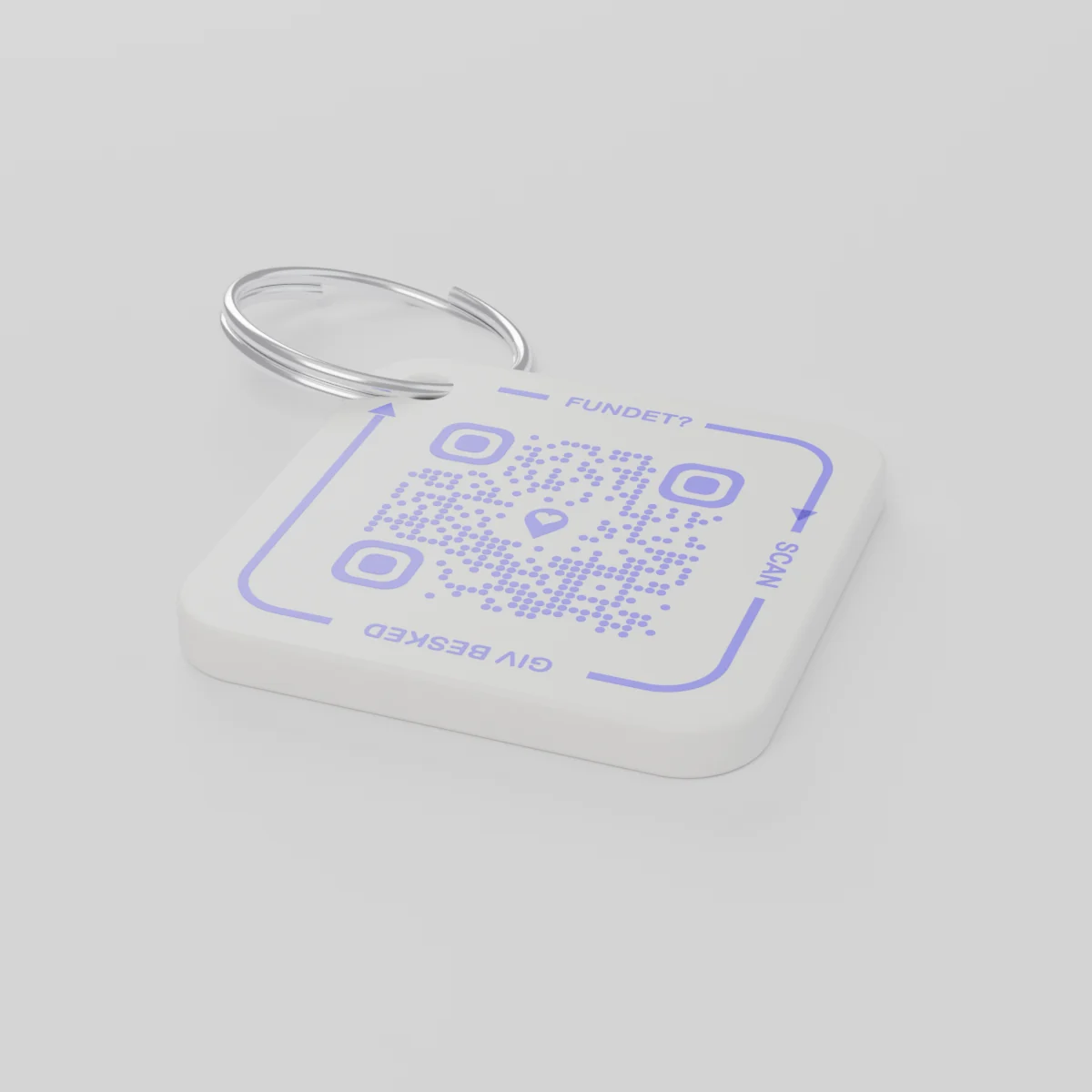
Uku-oda kusenesikhathiKuthunyelwa kungakadluli umhla Disemba 14, 2026
AYA Keychain
Ithegi ephrintwe nge-3D yezikhiye zakho. Ozitholayo uyayiskena bese ekwazisa.
Intengo
Inani
1 ikhodi ye-QR
1
Isimo
Intengo iyafana, noma ngabe nikhethani.
Isamba
€16.99
Unyaka wokuqala ufakiwe
Isibonelo sempilo yansuku zonke
Zayaphi izikhiye?
- Ziwe ephaketheni zangena eqhweni emakethe kaKhisimusi, futhi ukubona kuphela lapho efika emnyango wangaphambili.
- Omunye umuntu uyazithola askene ithegi yezikhiye ngeselula.
- Uthola umlayezo eselula futhi bavumelane ngokuthi izikhiye zingalandwa kuphi.
Lowo ozitholayo akayiboni inombolo yakho noma ikheli lakho.
AYA noma ithegi ye-GPS?
I-tracker ikhombisa lapho into ikhona. I-AYA yenza umtholi akwazi ukuyibuyisa.
I-GPS tracker, isibonelo i-AirTag
Iksize ubone lapho into ikhona.
- Ungabona ngqo lapho leyo nto ikhona
- Lowo oyitholayo akanayo indlela elula yokuxhumana nawe
- Kufanele uzihambele wena uyo ku yithatha
Inkundla ye-AYA
Ivumela umtholi ukuthi ayibuyise kalula.
- Umtholi uxhumana nawe ngokuskena okukodwa kuphela - asikho isidingo se-app
- Kuyimfihlo futhi kuhunyushwa ngokuzenzakalelayo ezilimini ezingu-117
- Isebenza kahle kakhulu kanye ne-GPS tracker yakho
I-AYA iyasebenza yini ngaphandle kwesilandeleli se-GPS noma i-AirTag?
Yebo. I-AYA iyisizinda sokuxhumana. Isebenza yodwa futhi kahle kanye nesilandeleli.
What you can do
- More people can be told: share the tag with your partner, for example, so you are both told when someone finds the keys. See Share a product with the other parent.
- Report missing and offer a reward: if your keys go missing, tap Report missing in the settings. You are told at every scan and can write a message for whoever scans and offer a finder's reward. You settle it yourselves; AYA handles no money.
- Message for the finder: tap Edit to change the name, the message and What is it attached to? (for example House keys). Tap Save.
- See what the finder sees: open the tag and look at The finder sees, exactly what the finder will see.
- Pause: if you do not want to be contacted for a while, tap the Active button so it changes to Paused.
- 12 months or lifetime: the tag does not expire on its own. The platform plan takes care of renewal.
- Map and scan history: as on every AYA product.
What the finder sees
- "You found" with your name and keychain.
- Your message under Message from the owner, as you wrote it.
- Share my location, a voice call and a message with a photo to you. Your phone number is never shown.
- The AYA Keychain has no video call.
How to activate
- Put the tag on your keys and scan the QR code with your phone's camera. You can also tap Activate my AYA product on the home screen in the app.
- Enter your name under Your name. It is shown to the finder, so they know whose keys they are.
- If you like, write a Message for the finder, for example "Please hand them in at reception". The message is shown exactly as you write it and is not translated.
- If your account has no email address, you are asked to add one before the tag becomes active. With the email address you can log in from any device. See Add an email address.
- Activate. The tag now sits on the home screen in the app.
Never write your address or codes in the message for the finder. The message can be at most 160 characters.
Kukhona nasemaphakishini
Imininingwane yomkhiqizo
- Okwakhiwe ngakho
- Ipulasitiki ye-PETG endandathweni yensimbi
- Ubukhulu
- 42 × 42 × 4.2 mm
- Umbala
- Okumhlophe okunekhodi ye-QR ephephuli
- Ikhodi ye-QR
- Iphrintwe ngombala ophephuli njengengxenye yethegi, ehlukile ethegini ngayinye
- Okusephaketheni
- Ithegi engu-1 enendandatho
Ukuphepha komkhiqizo
Umkhiqizo
AYA Keychain
Inhlobo: AYA-KC-STD
Imininingwane yokuphepha
- Umkhiqizo awusona isidlalo.
- Linezingxenye ezincane ezingagwinywa.