Tlhelela exitolo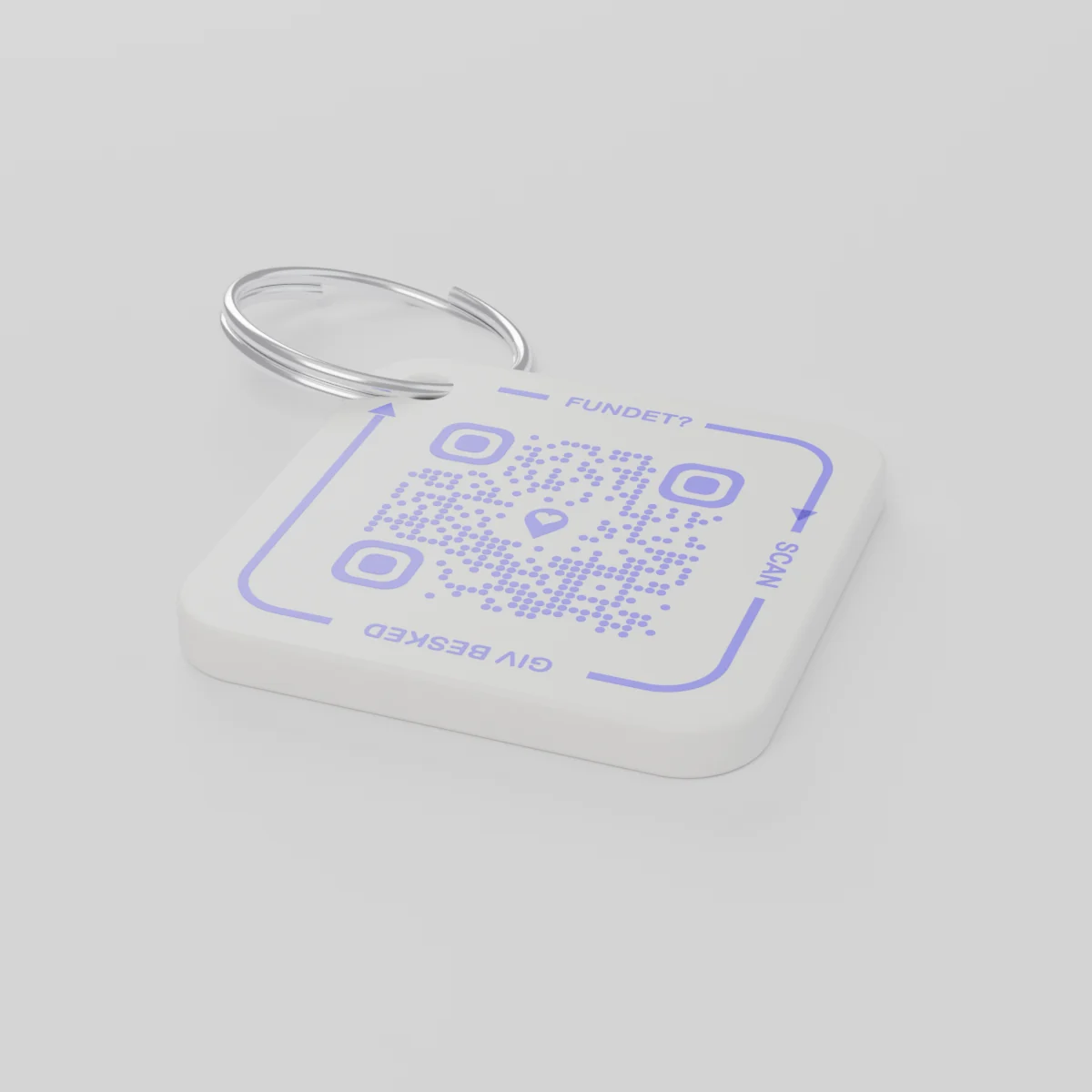
Oda ka ha ri emahlweniYi rhumeriwa ku nga hundzi December 14, 2026
AYA Keychain
Thegi leyi printiweke hi 3D ya swilotlelo swa wena. Loyi a swi kumaka u yi skena kutani a ku tivisa.
Nxavo
Nhlayo
khodi ya QR ya 1
1
Xivumbeko
Nxavo wa fana, hambi mi hlawula yini.
Hinkwaswo
€16.99
Lembe ro sungula ri katsiwile
Xikombiso xa vutomi bya siku na siku
Swilotlelo swi ye kwihi?
- Swi wile exikhwameni swa wela egambokweni emakete wa Khisimusi, kutani u swi xiya ntsena enyangweni wa le mahlweni.
- Munhu un'wana u swi kuma kutani a skena xikhomo xa swilotlelo hi selfoni.
- U kuma rungula eka selfoni kutani a pfumelelana leswaku swilotlelo swi nga tekiwa kwihi.
Loyi a swi kumaka a nga voni nomboro ya wena kumbe adirese ya wena.
AYA kumbe thegi ya GPS?
Xilandzeleri xi komba laha nchumu wu nga kona. AYA yi pfumelela mukumi ku wu tlherisela.
Xilandzeleri xa GPS, xik. AirTag
Yi ku pfuna ku vona laha xilo xi nga kona.
- U nga vona kahle laha nhundzu yi nga kona
- Loyi a xi kumaka a nga na ndlela yo olova yo tihlanganisa na wena
- U fanele ku ya hi wexe ku ya xi teka
Pulatifomo ya AYA
Yi pfumelela mukumi ku xi tlherisela hi ku olova.
- Mukumi u ku fikelela hi ku skena kan'we ntsena - a ku laveki app
- Hi xihundla naswona swi hundzuluxiwa hi ku tifambela eka tindzimi ta 117
- Yi tirha kahle swin'we na xilandzeleri xa wena
Xana AYA yi tirha handle ka xilandzeleri xa GPS kumbe AirTag?
Ina. AYA i pulatifomo ya ku tihlanganisa. Yi tirha yi ri yoxe naswona swin'we na xilandzeleri.
What you can do
- More people can be told: share the tag with your partner, for example, so you are both told when someone finds the keys. See Share a product with the other parent.
- Report missing and offer a reward: if your keys go missing, tap Report missing in the settings. You are told at every scan and can write a message for whoever scans and offer a finder's reward. You settle it yourselves; AYA handles no money.
- Message for the finder: tap Edit to change the name, the message and What is it attached to? (for example House keys). Tap Save.
- See what the finder sees: open the tag and look at The finder sees, exactly what the finder will see.
- Pause: if you do not want to be contacted for a while, tap the Active button so it changes to Paused.
- 12 months or lifetime: the tag does not expire on its own. The platform plan takes care of renewal.
- Map and scan history: as on every AYA product.
What the finder sees
- "You found" with your name and keychain.
- Your message under Message from the owner, as you wrote it.
- Share my location, a voice call and a message with a photo to you. Your phone number is never shown.
- The AYA Keychain has no video call.
How to activate
- Put the tag on your keys and scan the QR code with your phone's camera. You can also tap Activate my AYA product on the home screen in the app.
- Enter your name under Your name. It is shown to the finder, so they know whose keys they are.
- If you like, write a Message for the finder, for example "Please hand them in at reception". The message is shown exactly as you write it and is not translated.
- If your account has no email address, you are asked to add one before the tag becomes active. With the email address you can log in from any device. See Add an email address.
- Activate. The tag now sits on the home screen in the app.
Never write your address or codes in the message for the finder. The message can be at most 160 characters.
Swi tlhela swi kumeka eka maphakela
Vuxokoxoko bya xibuweriwa
- Matheriyali
- Pulasitiki ya PETG eka ringi ya nsimbi
- Vukulu
- 42 × 42 × 4.2 mm
- Muvala
- Yo basa leyi nga na khodi ya QR ya phepuli
- Khodi ya QR
- Yi printiwile hi phepuli tanihi xiphemu xa thegi, yi hlawulekile eka thegi yin'wana na yin'wana
- Leswi nga endzeni ka phasela
- Thegi ya 1 leyi nga na ringi
Vuhlayiseki bya xibuweriwa
Xibuweriwa
AYA Keychain
Muxaka: AYA-KC-STD
Vuxokoxoko bya vuhlayiseki
- Xibuweriwa a hi xitlangu.
- Xi na swiphemu leswitsongo leswi nga mitiwaka.