← Duk batutuwa
Asusu da na'urori
Devices and logging out
See which devices are logged in to your AYA account, log other devices out, and log out on the device you are holding.
Lost a phone, or logged in on a computer you no longer use? Under Active devices you can see where your account is logged in and sign the others out.
How to see your devices
- Tap the round icon with your initial in the top right corner to open your settings.
- Tap Active devices.
- You see a list of devices with Last active. The one you are using is marked This device.
- Tap Sign out next to a device to sign it out, or tap Sign out everywhere else to sign out all the others at once.
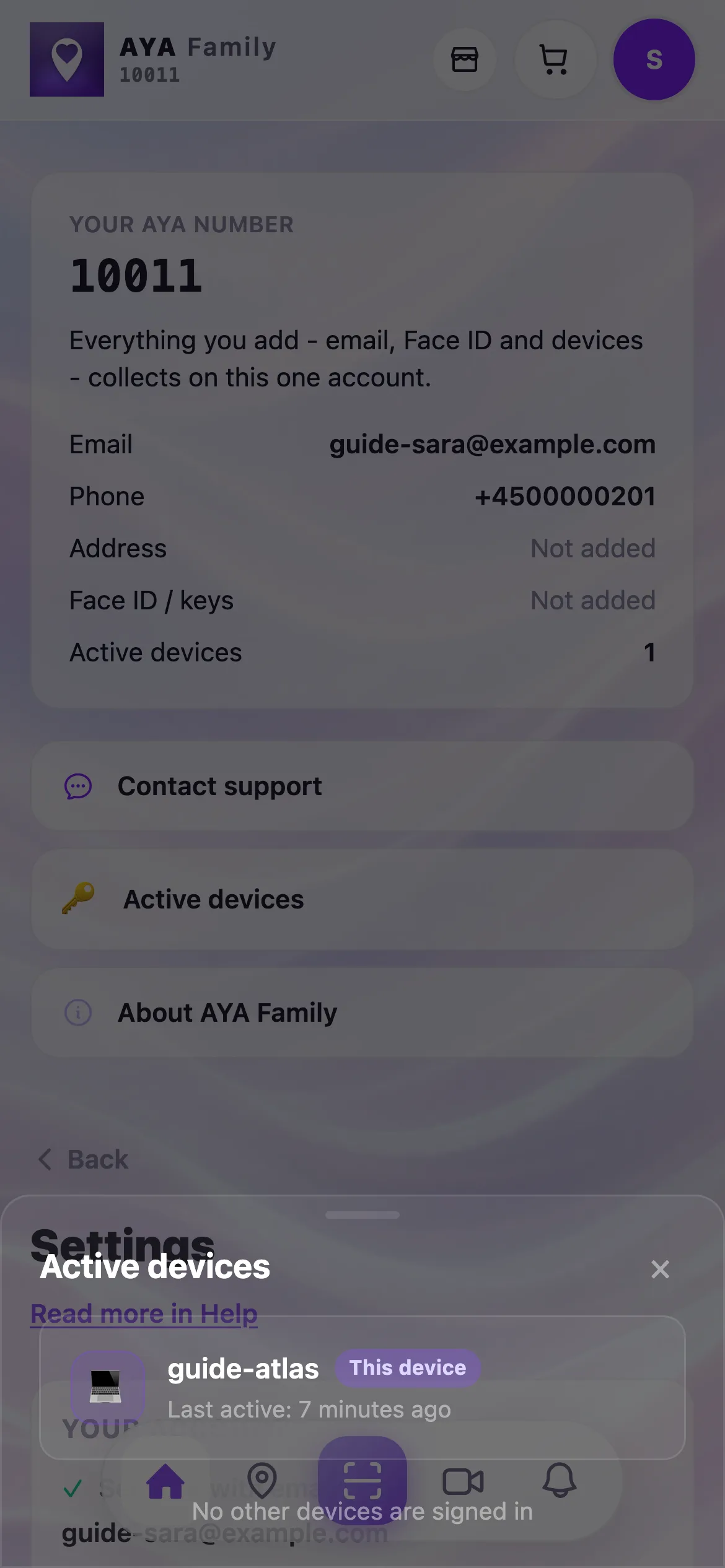
If it says No other devices are signed in, your account is only open on the device you are holding.
How to log out on this device
- Open your settings and tap Log out at the bottom.
- If the account has an email, you are logged out straight away. You can always get back in with a code by email.
- If the account has no email, the app asks Log out completely? Choose Secure with email and log out if you want to be able to recover the account: you confirm your email with a one-time code and are then logged out.
- Choose Just lock the app if you only want to lock the app. The account is still there, and you get back in with Continue.
- Only choose Log out completely without email if you are sure. The account and your activated products can then not be recovered.
Good to know
- When you log in on a new device, the other devices are logged out by default.
- If you have lost your phone, log in on another device with your email. The lost phone is then logged out.
Ba ka sami amsar ba?
Rubuto mana