Padà sí ìtajà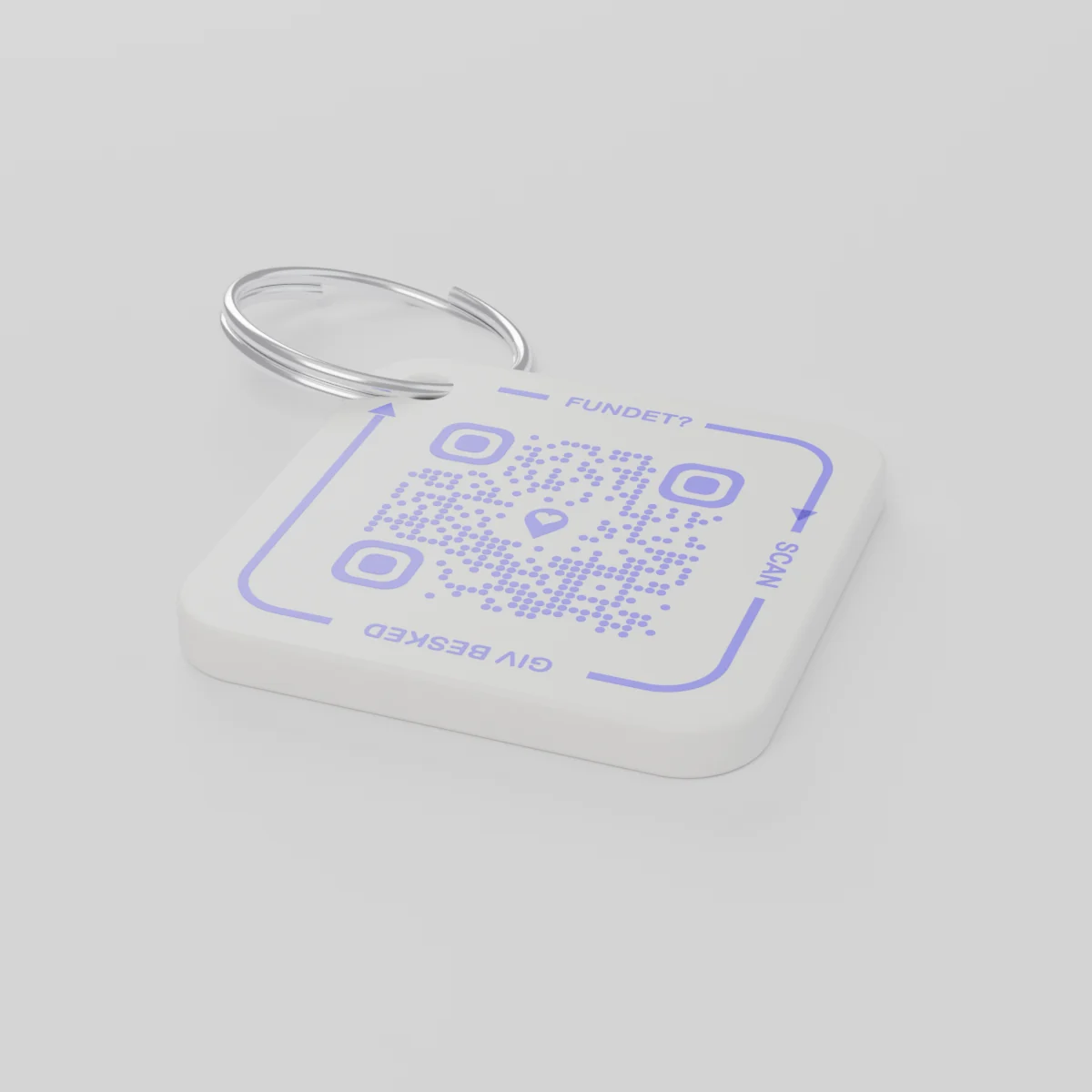
Ìbéèrè ṣáájú àkókòA ó fi ránṣẹ́ kí 14 Oṣù Ọ̀pẹ̀ 2026 tó kọjá
AYA Keychain
Àmì tí a tẹ̀ jáde pẹ̀lú 3D fún àwọn kọ́kọ́rọ́ rẹ. Ẹni tó bá rí wọn yóò ṣàyẹ̀wò rẹ̀, yóò sì fi tó ọ létí.
Iye owó
Iye
kóòdù QR 1
1
Ìrísí
Iye owó kan náà ni, ohunkóhun tí ẹ bá yàn.
Àpapọ̀
€16.99
Ọdún àkọ́kọ́ wà nínú rẹ̀
Àpẹẹrẹ kan láti ìgbésí ayé ojoojúmọ́
Níbo ni kọ́kọ́rọ́ náà wà?
- Wọ́n já bọ́ láti inú àpò sínú yìnyín ní ọjà Kérésìmesì, ẹnu ọ̀nà ilé ló ti kíyèsí i.
- Ẹlòmíràn rí wọn, ó sì fi fóònù ṣe skáànù àmì kọ́kọ́rọ́.
- Ó gba ìfiránṣẹ́ lórí fóònù rẹ̀, ó sì fohùn ṣọ̀kan lórí ibi tí wọ́n ti lè gba kọ́kọ́rọ́ náà.
Ẹni tí ó rí i kò ní rí nọ́ńbà rẹ tàbí àdírẹ́sì rẹ.
AYA tàbí àmì GPS?
Olutọpa n fihan ibiti nkan naa wa. AYA n jẹ ki ẹni ti o ri i le da a pada.
GPS olutọpa, fun apẹẹrẹ AirTag
O n ran ọ lọwọ lati ri ibi ti nkan naa wa.
- O le rii ibiti nkan naa wa gan-an
- Ẹnikẹni ti o ba rii ko ni ọna ti o rọrun lati kan si ọ
- O ni lati lọ funrararẹ lati mu wa
Pẹpẹ ti AYA
O gba ẹni ti o ri i laaye lati da a pada ni irọrun.
- Ẹni ti o ri i yoo kan si ọ pẹlu ọlọjẹ kan ṣoṣo - ko si ohun elo ti o nilo
- Ni aṣiri ati ti a tumọ laifọwọyi kọja awọn ede 117
- O n ṣiṣẹ daradara pẹlu GPS olutọpa rẹ
Ṣé AYA ń ṣiṣẹ́ láìsí ohun ìtọpinpin GPS tàbí AirTag?
Bẹ́ẹ̀ni. AYA jẹ́ pèpéle ìbánisọ̀rọ̀. Ó ń ṣiṣẹ́ nìkan, ó sì ń ṣiṣẹ́ pẹ̀lú ohun ìtọpinpin.
What you can do
- More people can be told: share the tag with your partner, for example, so you are both told when someone finds the keys. See Share a product with the other parent.
- Report missing and offer a reward: if your keys go missing, tap Report missing in the settings. You are told at every scan and can write a message for whoever scans and offer a finder's reward. You settle it yourselves; AYA handles no money.
- Message for the finder: tap Edit to change the name, the message and What is it attached to? (for example House keys). Tap Save.
- See what the finder sees: open the tag and look at The finder sees, exactly what the finder will see.
- Pause: if you do not want to be contacted for a while, tap the Active button so it changes to Paused.
- 12 months or lifetime: the tag does not expire on its own. The platform plan takes care of renewal.
- Map and scan history: as on every AYA product.
What the finder sees
- "You found" with your name and keychain.
- Your message under Message from the owner, as you wrote it.
- Share my location, a voice call and a message with a photo to you. Your phone number is never shown.
- The AYA Keychain has no video call.
How to activate
- Put the tag on your keys and scan the QR code with your phone's camera. You can also tap Activate my AYA product on the home screen in the app.
- Enter your name under Your name. It is shown to the finder, so they know whose keys they are.
- If you like, write a Message for the finder, for example "Please hand them in at reception". The message is shown exactly as you write it and is not translated.
- If your account has no email address, you are asked to add one before the tag becomes active. With the email address you can log in from any device. See Add an email address.
- Activate. The tag now sits on the home screen in the app.
Never write your address or codes in the message for the finder. The message can be at most 160 characters.
Ó tún wà nínú àwọn àkójọpọ̀
Àlàyé ọjà
- Ohun tí a fi ṣe é
- Ike PETG lórí òrùka irin
- Ìwọ̀n
- 42 × 42 × 4.2 mm
- Àwọ̀
- Funfun pẹ̀lú kóòdù QR aláwọ̀ elése àlùkò
- Kóòdù QR
- A tẹ̀ ẹ́ ní àwọ̀ elése àlùkò gẹ́gẹ́ bí apá kan àmì náà, ó yàtọ̀ fún àmì kọ̀ọ̀kan
- Ohun tó wà nínú àpótí
- Àmì 1 pẹ̀lú òrùka
Ààbò ọjà
Ọjà
AYA Keychain
Oríṣi: AYA-KC-STD
Ìsọfúnni ààbò
- Ọjà yìí kì í ṣe ohun ìṣeré.
- Ó ní àwọn ẹ̀yà kékeré tí a lè gbé mì.