Dellu ci bitig bi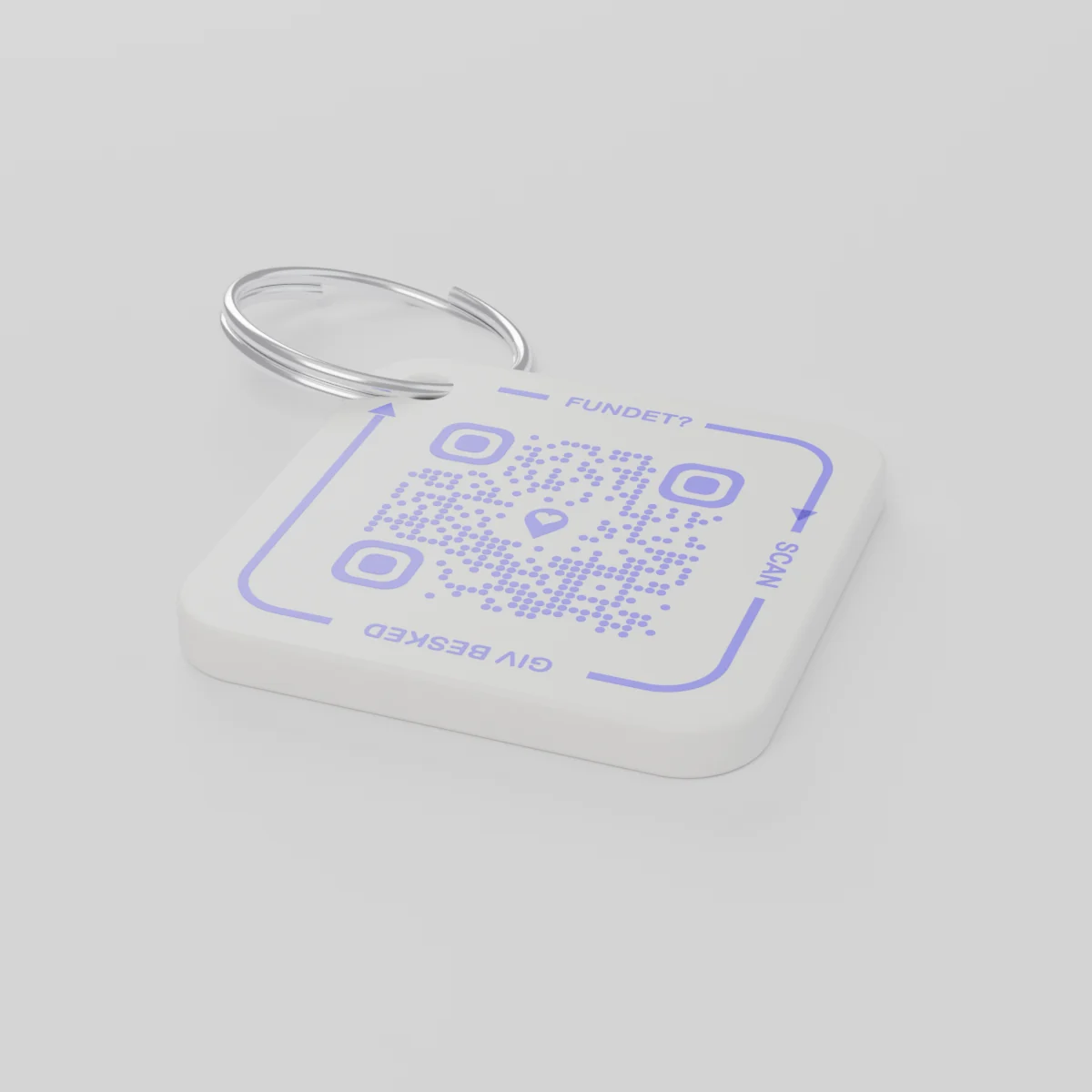
Komand bu jiituDinañu ko yónnee lu mu yàgg yàgg 14 Desàmbar, 2026
AYA Keychain
Màrk bu ñu móol ak 3D ngir say caabi. Ku leen gis dina ko skane te yégal la.
Njëg
Lim
1 kod QR
1
Melo
Njëg gi benn la, lu ngeen tànn tànn.
Mboolem
€ 16,99
Atum njëkk bi bokk na ci
Misaal ci dund bés bu nekk
Ana caabi yi?
- Daanu nañu ci mbuusam ci biir galaas gi ci marse Noël bi, te mu gis ko rekk bi mu agsee ci buntu kër gi.
- Keneen gis na leen te skane taagu caabi bi ak telefon.
- Mu jot xibaar ci telefonam te dëggoo fu ñu man a jële caabi yi.
Ki leen gis du gis sa nimero walla sa adrees.
AYA walla màrk GPS?
Jumtukaay bu topp dafay wone fu mbir mi nekk. AYA dafay may ki ko gis mu delloo ko.
Jumtukaay bu topp bu GPS, misaal AirTag
Daf lay dimbali nga gis fu mbir mi nekk.
- Mën nga gis fu mbir mi nekk dëgg-dëgg
- Ki ko gis amul yoon bu yomb ngir jokkoo ak yaw
- Faww nga dem jëli ko sa bopp
Platform AYA
Dafay may ki ko gis mu dellooko ci yomb.
- Ki ko gis daf lay jokkoo ci benn scan rekk - soxlawul application
- Ci sutura te dañu koy tekki ci boppam ci 117 làkk
- Dafay liggéey bu baaxa baax ak sa jumtukaay bu topp
Ndax AYA dafay dox te amul jumtukaay bu topp bu GPS walla AirTag?
Waaw. AYA ab platformu jokkoo la. Dafay dox moom rekk te baax na itam ak ab jumtukaay bu topp.
What you can do
- More people can be told: share the tag with your partner, for example, so you are both told when someone finds the keys. See Share a product with the other parent.
- Report missing and offer a reward: if your keys go missing, tap Report missing in the settings. You are told at every scan and can write a message for whoever scans and offer a finder's reward. You settle it yourselves; AYA handles no money.
- Message for the finder: tap Edit to change the name, the message and What is it attached to? (for example House keys). Tap Save.
- See what the finder sees: open the tag and look at The finder sees, exactly what the finder will see.
- Pause: if you do not want to be contacted for a while, tap the Active button so it changes to Paused.
- 12 months or lifetime: the tag does not expire on its own. The platform plan takes care of renewal.
- Map and scan history: as on every AYA product.
What the finder sees
- "You found" with your name and keychain.
- Your message under Message from the owner, as you wrote it.
- Share my location, a voice call and a message with a photo to you. Your phone number is never shown.
- The AYA Keychain has no video call.
How to activate
- Put the tag on your keys and scan the QR code with your phone's camera. You can also tap Activate my AYA product on the home screen in the app.
- Enter your name under Your name. It is shown to the finder, so they know whose keys they are.
- If you like, write a Message for the finder, for example "Please hand them in at reception". The message is shown exactly as you write it and is not translated.
- If your account has no email address, you are asked to add one before the tag becomes active. With the email address you can log in from any device. See Add an email address.
- Activate. The tag now sits on the home screen in the app.
Never write your address or codes in the message for the finder. The message can be at most 160 characters.
Am na it ci paket yi
Xibaari jumtukaay bi
- Lu ñu ko defare
- Plastig PETG ci lamu weñ
- Natt yi
- 42 × 42 × 4,2 mm
- Kulóor
- Weex ak kod QR bu wiyolet
- Kod QR
- Ñu móol ko ci wiyolet ni pàcc ci màrk bi, wuute na ci màrk bu nekk
- Li nekk ci paket bi
- 1 màrk ak lamu weñ
Kaaraangeg jumtukaay bi
Marsandiis
AYA Keychain
Xeet: AYA-KC-STD
Xibaar ci kaaraange
- Marsandiis bi du fowukaay.
- Am na ay pàcc yu tuuti yu ñu mën a wann.