← بارلىق تېمىلار
باشلاش
Add AYA to your home screen
How to install AYA as an app on iPhone and Android, so you get notifications and quick access.
AYA is a web app, so you do not get it from the App Store or Google Play. You add it to your home screen straight from the browser. On iPhone this is needed to get notifications.
On iPhone
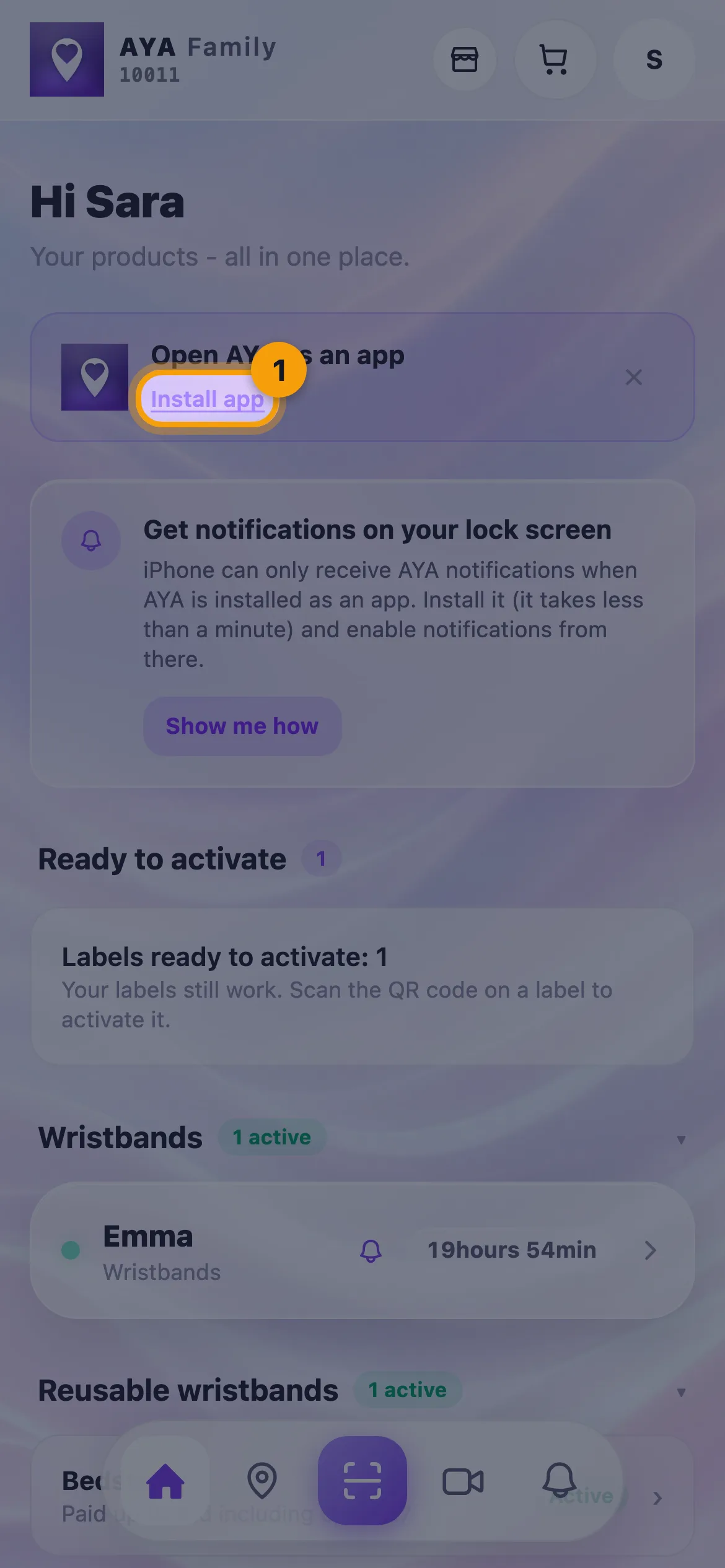
- Open AYA in Safari. On the home page you see Open AYA as an app with the Install app link, or the Get notifications on your lock screen card with the Show me how button.
- Tap the share button at the bottom of Safari (the square with an arrow).
- Tap Add to Home Screen. If you cannot see it, tap Show More first.
- Tap Add in the top right.
- Open AYA from the new icon on your home screen, and turn on notifications from there.
On Android
- Open AYA in Chrome.
- Tap the ⋮ menu in the top right.
- Tap Add to Home screen or Install app.
- Tap Install. AYA appears on your home screen.
On Android and on a computer you can also get notifications straight in the browser without installing. On iPhone, Safari cannot deliver AYA notifications until AYA is on your home screen.
Good to know
- You can activate and manage your products in the browser. Installing is about notifications and quick access.
- If you do not want to install right now, you can close the banner with the cross.
- If you already have AYA on your home screen, open the app from there. If you cannot see your products in the app, log in with your email, see Add your email.
جاۋابنى تاپالمىدىڭىزمۇ؟
بىزگە يېزىڭ