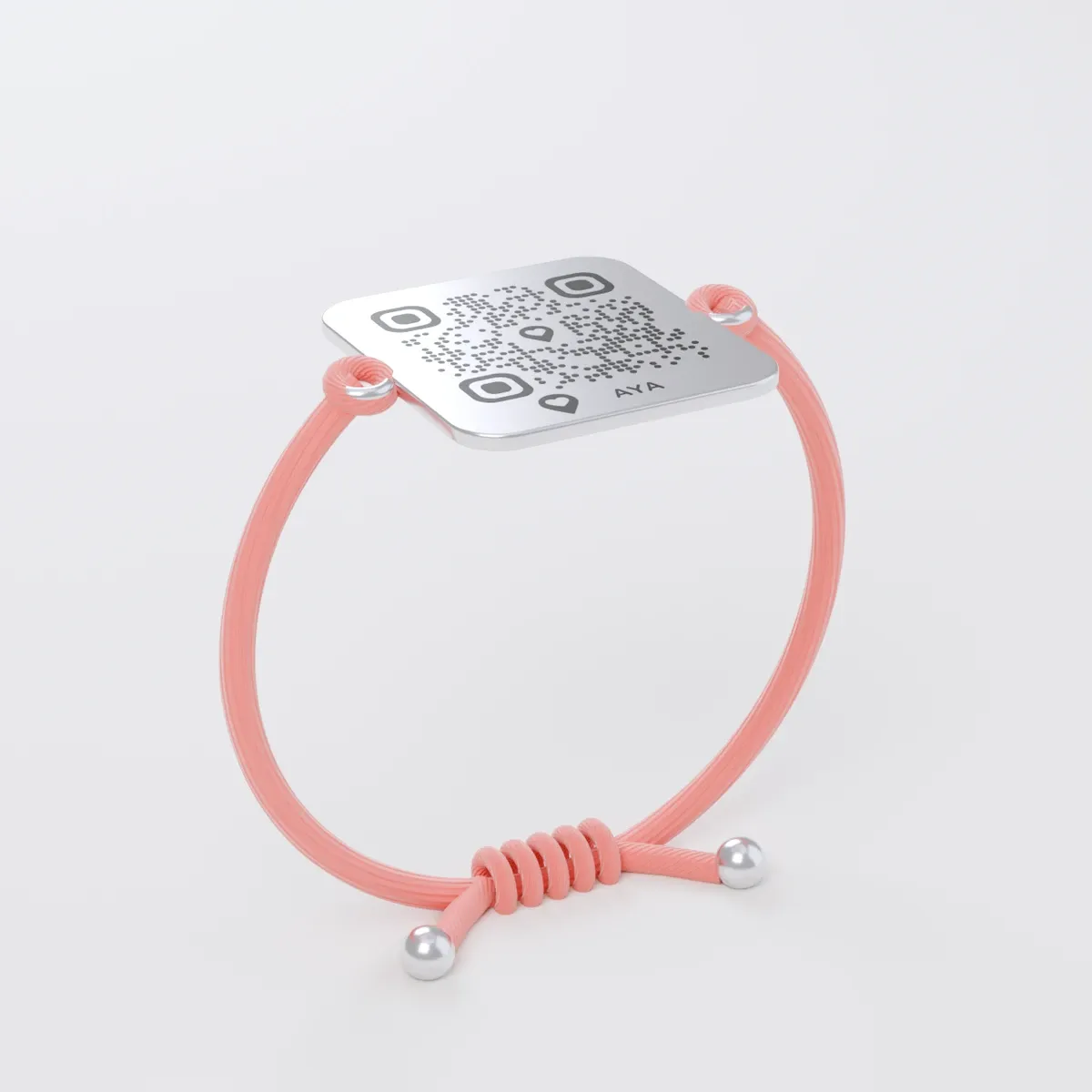
Çagaňyzyň gaýta-gaýta dakyp bilýän metal QR plastinkaly ýüp bilezigi.
Baha
Mukdary
1 QR kod
1
Reňki
Näme saýlasaňyz-da, baha üýtgemeýär.
Jemi
19,99 EUR
Birinji ýyl girýär
Gündelik durmuşdan bir mysal
Ol uly çagalar bilen derwezeden çykyp gitdi.
1Oýun meýdançasynda çaga köp, uly adam az, onuň olaryň yzyndan gidýändigini hiç kim görmeýär.
2Goňşy ony pyýada ýolunda görýär we onuň her gün dakynýan bilezigini skanirleýär.
3Size ýeri bilen habar gelýär we onuň ýanynda duran adama jaň edip bilýärsiňiz.
Şol bir bilezik, her gün.
What you can do
Video call from the finder: the finder can call you with video or voice and send a message with a photo. Your phone number is never shown.
Extra contacts: under Extra contacts you can add up to two people with a name and an email address, who are told too. They get nothing until they have accepted.
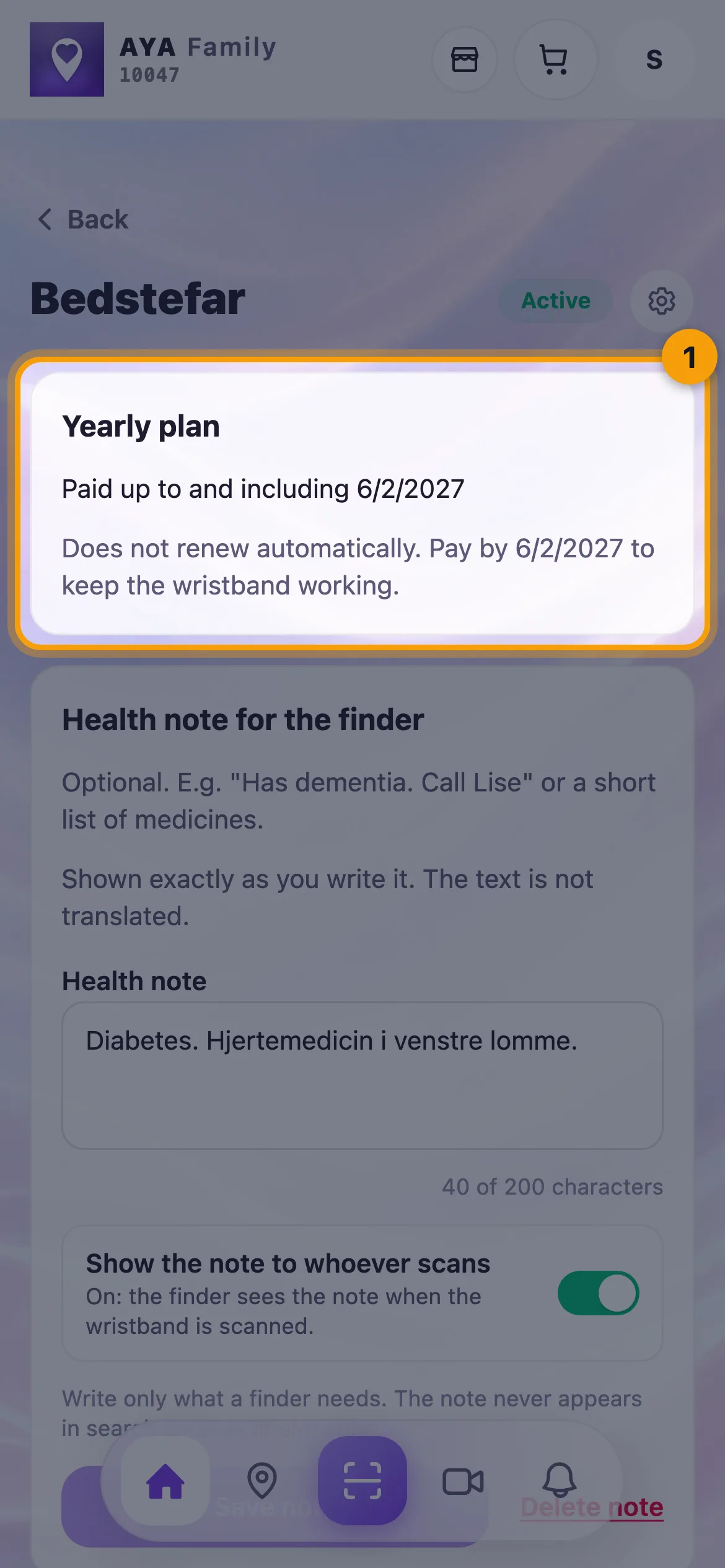
Additional information: fill in a short, optional table with, for example, blood type, allergies, medication and diagnoses, and tick Yes, show the information to everyone who scans. Without your yes the finder sees nothing.
Plan and renewal: at the top you see Yearly plan with Paid up to and including, or Lifetime. You can cancel and resume automatic renewal.
Replacement wristband: if the wristband is lost or broken, tap Buy a replacement wristband. The plan and the contacts move with it, and the old QR code stops working.
New owner: the wristband can be handed over. The paid period follows the wristband, your renewal stops and the new owner renews it themselves. See Hand a product over to a new owner.
Map, scan history and pause: as on every AYA product.
The reusable wristband's page with the plan at the top
What the finder sees
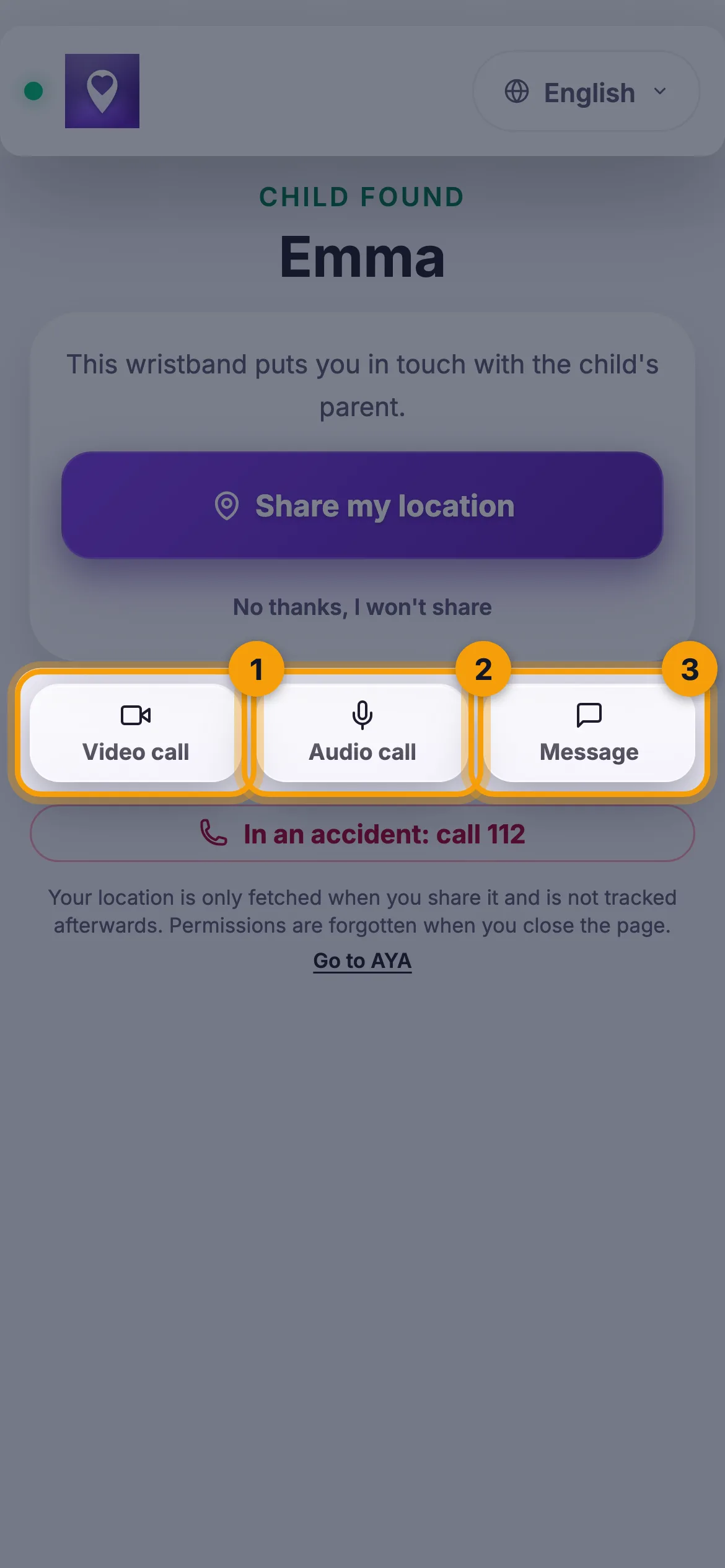
On a child's wristband: the child's name and a short explanation. On an adult or senior wristband: that they have found the wearer's wristband.
Share my location or No thanks, I won't share.
Video call, voice call and a message with a photo to you and your contacts.
See information from the owner, if you have filled in the additional information and said yes to showing it.
A button for the emergency number in case of an accident.
The finder can call with video or voice or send a message
How to activate
Scan the QR code on the wristband with your phone's camera, or tap Activate my AYA product on the home screen in the app.
Enter the name of the person who will wear the wristband.
If your account has no email address, you are asked to add one before the wristband becomes active. With the email address you can log in from any device. See Add an email address.
Tap Activate. The wristband now sits on the home screen in the app with the plan at the top.