← Dhammaan mawduucyada
Iibsashada wax la isticmaalay
Accept a product from someone else
How to become the new owner of an AYA product when the previous owner has given you a handover link or QR code.
If you have bought or been given an AYA product by someone else, the previous owner sends you a link or shows you a QR code. When you accept, the product becomes yours.
How to accept
- Open the link or scan the QR code on your own phone.
- Under You are getting an AYA product you see which product it is, the name if it comes along, and how long it is valid, for example Valid until a date or Valid for life.
- Tap Accept.
- When it says It is yours now., you can tap Open in the app to see the product.
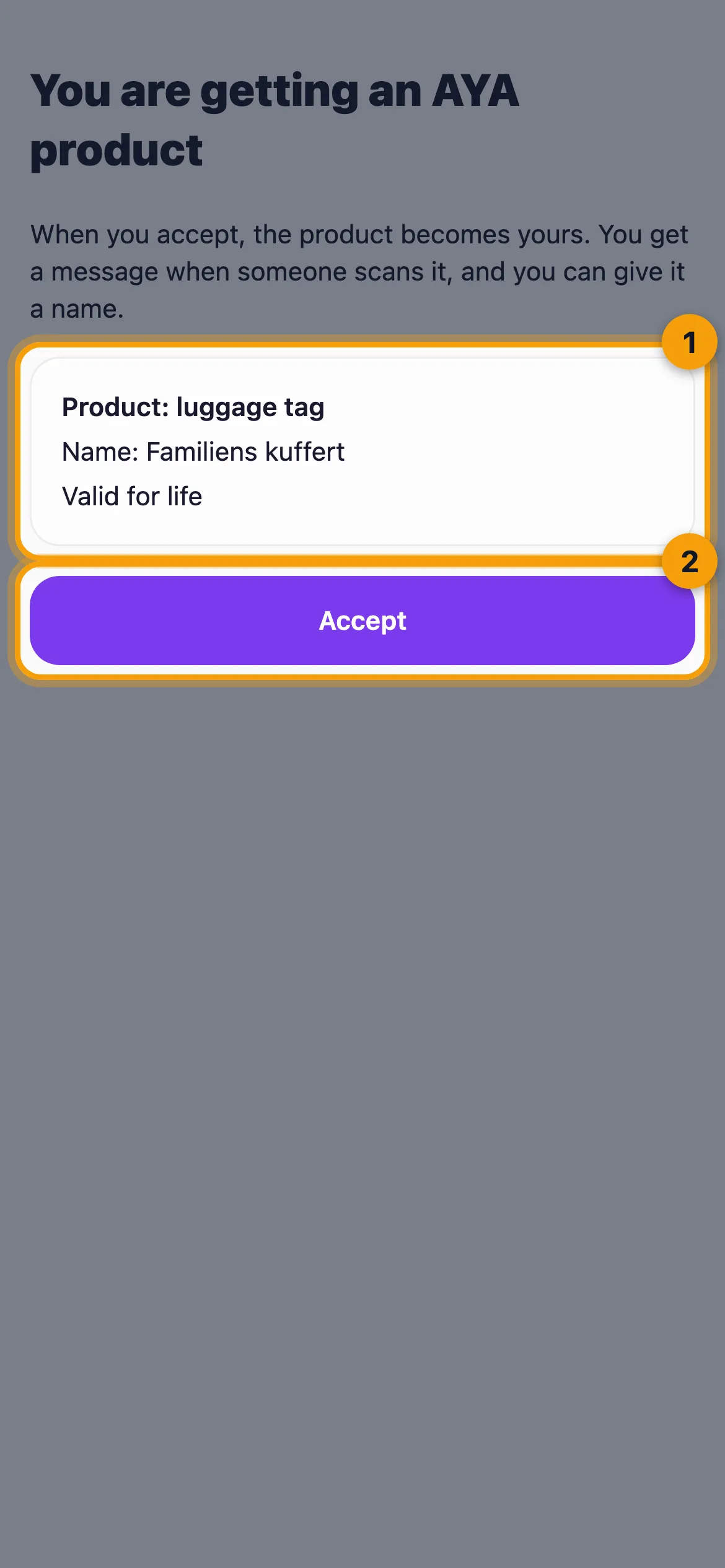
The page never shows anything about the previous owner, only the product, the name if it comes along, and how long it is valid.
What comes with it
- The time that is left, the plan and any device ID registered in the AYA register.
- The name, if the previous owner chose to let it come along. Otherwise you can give the product a name yourself.
- On a security mark on a suitcase, the previous owner can choose to hand over the travel history.
What does not come with it
- Scan history, messages, locations and the people the product was shared with.
- The previous owner's payments. On a reusable wristband the seller's subscription stops, and you renew it yourself.
Good to know
- The link works once and for 7 days. If it says "The link has expired. Ask the previous owner for a new one.", you need a new link.
- Until you accept, the product still belongs to the previous owner, and they can cancel the handover.
- If you are asked to log in, it is because this phone has been signed in with an email before. Log in, so the product lands on your own account.
Jawaabta ma aadan helin?
Noo soo qor