Garuka mu iduka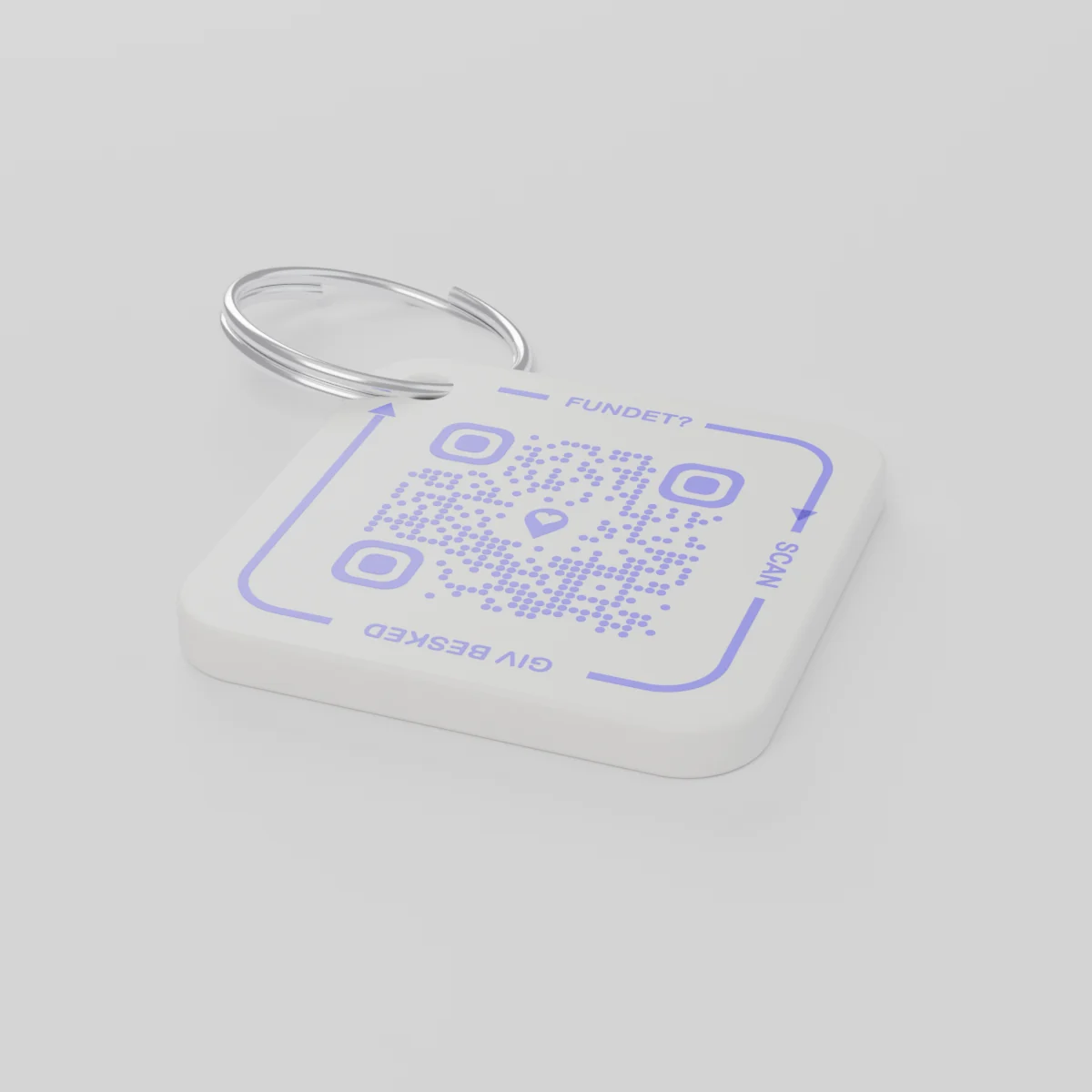
Gutumiza mbereByoherezwa bitarenze 2026 Ukuboza 14
AYA Keychain
Akarango kakozwe na printer ya 3D k'imfunguzo zawe. Uzibonye arakasikana akakumenyesha.
Igiciro
Umubare
kode 1 ya QR
1
Ishusho
Igiciro ni kimwe, uko mwahitamo kose.
Igiteranyo
€ 16,99
Umwaka wa mbere urimo
Urugero rwo mu buzima bwa buri munsi
Imfunguzo zagiye he?
- Zavuye mu mufuka zigwa mu rubura ku isoko rya Noheli, abibona ageze ku muryango w'inzu.
- Undi muntu arazibona, agasikana akarango k'imfunguzo na telefoni.
- Ahabwa ubutumwa kuri telefoni, akumvikana aho imfunguzo zafatirwa.
Uzibonye ntabona nimero yawe cyangwa aderesi yawe.
AYA cyangwa ikirango cya GPS?
Igikoresho gikurikirana kikwereka aho ikintu kiri. AYA ituma uwakibonye akigusubiza.
Igikoresho cya GPS gikurikirana, urugero AirTag
Iragufasha kureba aho ikintu kiri.
- Ushobora kubona neza aho ikintu giherereye
- Uwakibonye ntabwo afite uburyo bworoshye bwo kukugeraho
- Ugomba kujya kucyizanira ubwawe
Urubuga rwa AYA
Rufasha uwakibonye kukigusubiza mu buryo bworoshye.
- Uwakibonye akugeraho mu gusikana rimwe gusa - nta porogaramu isabwa
- Bikorwa mu ibanga kandi bihita bisemurwa mu ndimi 117
- Bikorana neza cyane n'icyuma cyawe cya GPS
AYA ikora nta gikoresho cyo gukurikirana GPS cyangwa AirTag?
Yego. AYA ni urubuga rw'itumanaho. Rukora rwonyine kandi rukorana n'igikoresho cyo gukurikirana.
What you can do
- More people can be told: share the tag with your partner, for example, so you are both told when someone finds the keys. See Share a product with the other parent.
- Report missing and offer a reward: if your keys go missing, tap Report missing in the settings. You are told at every scan and can write a message for whoever scans and offer a finder's reward. You settle it yourselves; AYA handles no money.
- Message for the finder: tap Edit to change the name, the message and What is it attached to? (for example House keys). Tap Save.
- See what the finder sees: open the tag and look at The finder sees, exactly what the finder will see.
- Pause: if you do not want to be contacted for a while, tap the Active button so it changes to Paused.
- 12 months or lifetime: the tag does not expire on its own. The platform plan takes care of renewal.
- Map and scan history: as on every AYA product.
What the finder sees
- "You found" with your name and keychain.
- Your message under Message from the owner, as you wrote it.
- Share my location, a voice call and a message with a photo to you. Your phone number is never shown.
- The AYA Keychain has no video call.
How to activate
- Put the tag on your keys and scan the QR code with your phone's camera. You can also tap Activate my AYA product on the home screen in the app.
- Enter your name under Your name. It is shown to the finder, so they know whose keys they are.
- If you like, write a Message for the finder, for example "Please hand them in at reception". The message is shown exactly as you write it and is not translated.
- If your account has no email address, you are asked to add one before the tag becomes active. With the email address you can log in from any device. See Add an email address.
- Activate. The tag now sits on the home screen in the app.
Never write your address or codes in the message for the finder. The message can be at most 160 characters.
Ibisobanuro by'igicuruzwa
- Ibikoresho
- Pulasitiki ya PETG ku mpeta y'icyuma
- Ingano
- 42 × 42 × 4,2 mm
- Ibara
- Umweru ufite kode ya QR ya violet
- Kode ya QR
- Byacapwe mu ibara rya violet nk'igice cy'akarango, byihariye kuri buri karango
- Ibiri mu gipfunyika
- Akarango 1 gafite impeta
Umutekano w'igicuruzwa
Igicuruzwa
AYA Keychain
Ubwoko: AYA-KC-STD
Amakuru ajyanye n'umutekano
- Iki gicuruzwa si igikinisho.
- Kirimo uduce duto dushobora kumirwa.