← Ingingo zose
Imenyesha
Notifications for one product
How to turn notifications on or off for a single AYA product without touching the others.
If you have many products, you may only want to hear about some of them. Each product has its own on and off switch, so you can decide one by one.
On the product
- Open the product from the home screen.
- Tap the gear icon in the top right corner.
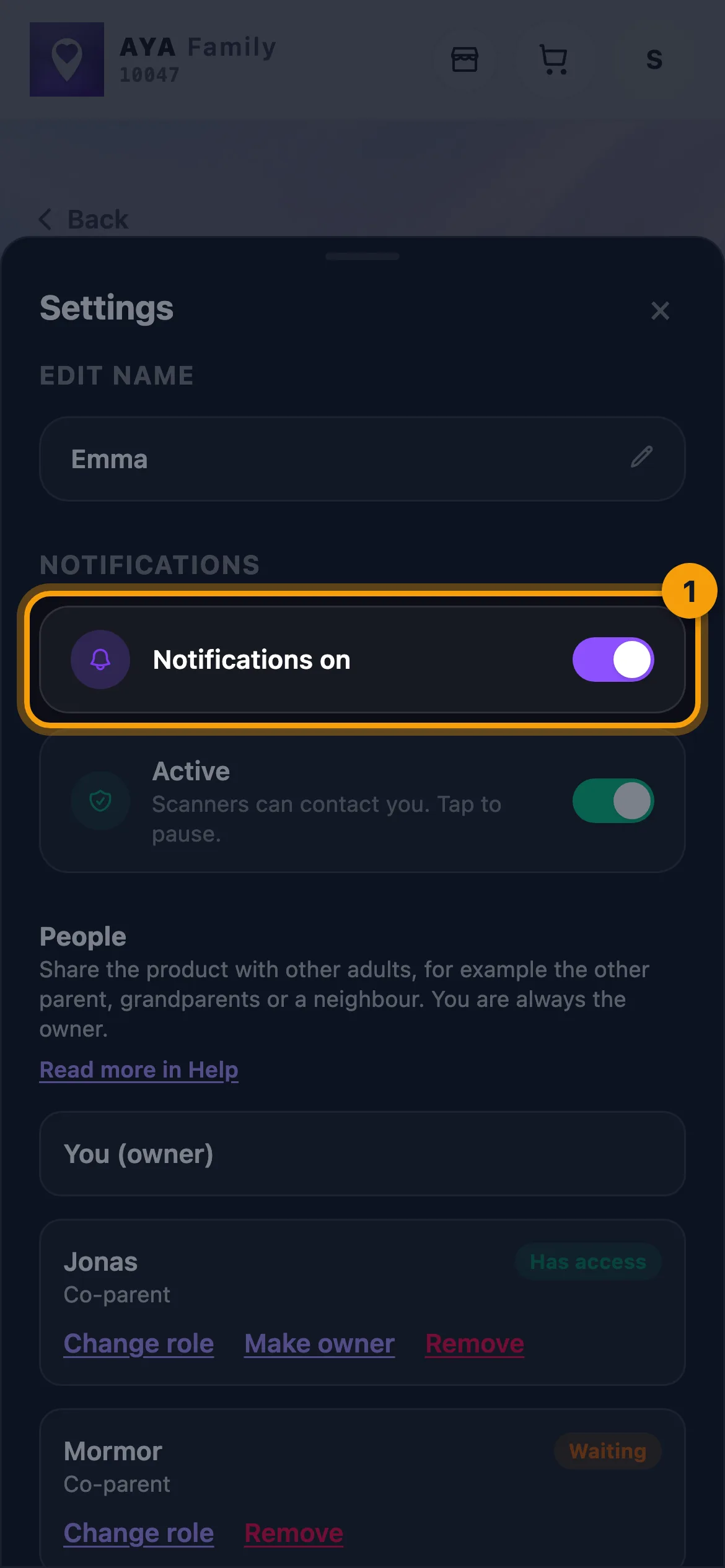
- Under Notifications, tap the Notifications on row to turn them off. It changes to Notifications off.
- Tap again to turn them back on.
For all products in one place
- Tap the round icon with your initial in the top right corner to open your settings.
- Under Push notifications all your products are listed, each with its own switch.
- Tap a product to switch it.
If you turn off notifications for a product, you get no backup email about it either. The finder can still call and message you.
Good to know
- The switch only applies to you. The people you share the product with have their own switch.
- To stop anyone from contacting you through the QR code at all, pause the product instead.
- If your settings say Notifications blocked, your phone has said no. Open your phone's Settings, find AYA and turn notifications on.
Ntiwabonye igisubizo?
Twandikire