← ყველა თემა
ანგარიში და მოწყობილობები
Your account and security
Where to find your AYA number, your email and your passkey, and how to change email or secure the account.
Your account settings gather everything that belongs to your account: your AYA number, your email, your passkey and your devices. This is also where you secure the account so it comes with you if you lose your phone.
How to find your settings
- Tap the round icon with your initial in the top right corner of the home screen. On a computer, tap Profile in the menu on the left.
- At the top is Your AYA number. Below it you see what is linked to the account: Email, Phone, Address, Face ID / keys and Active devices.
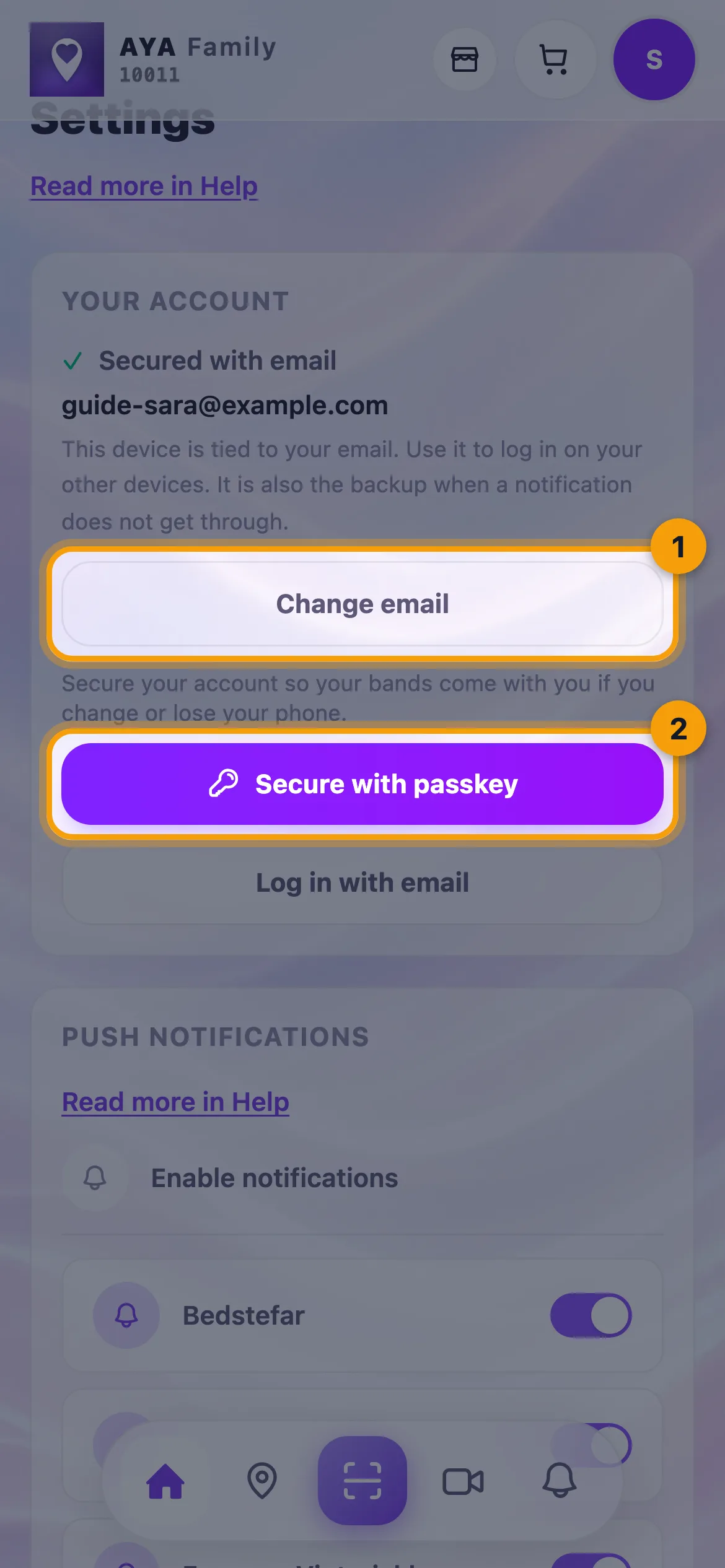
- Under Your account you see Secured with email and your email, if you have one.
How to change your email
- Tap Change email under Your account.
- Enter the new email and tap Send code.
- We send a code to the new email. Enter it and tap Verify.
- It says Your email is now followed by the new address.
How to secure the account with a passkey
If the account has an email but no passkey, you see Secure with passkey. Tap it and approve with Face ID, Touch ID or your phone's passcode. When it says Your account is secured, you can use Log in with passkey next time.
Your email is your way back into the account. If the account has no email, you see Log in with email at the top under Your account. Use it to link an email to the account or to bring back an account you already have.
Good to know
- If the new email already belongs to another account, it says That email belongs to another account. Log in with it instead.
- If you have several accounts on the same email, you see Other accounts on your email. Tap Move here to gather the products on this account.
- To switch to another account, tap Log in with email at the bottom under Your account.
- From here you also reach Contact support, Active devices and About AYA Family.
პასუხი ვერ იპოვეთ?
მოგვწერეთ