Laghachi n'ụlọ ahịa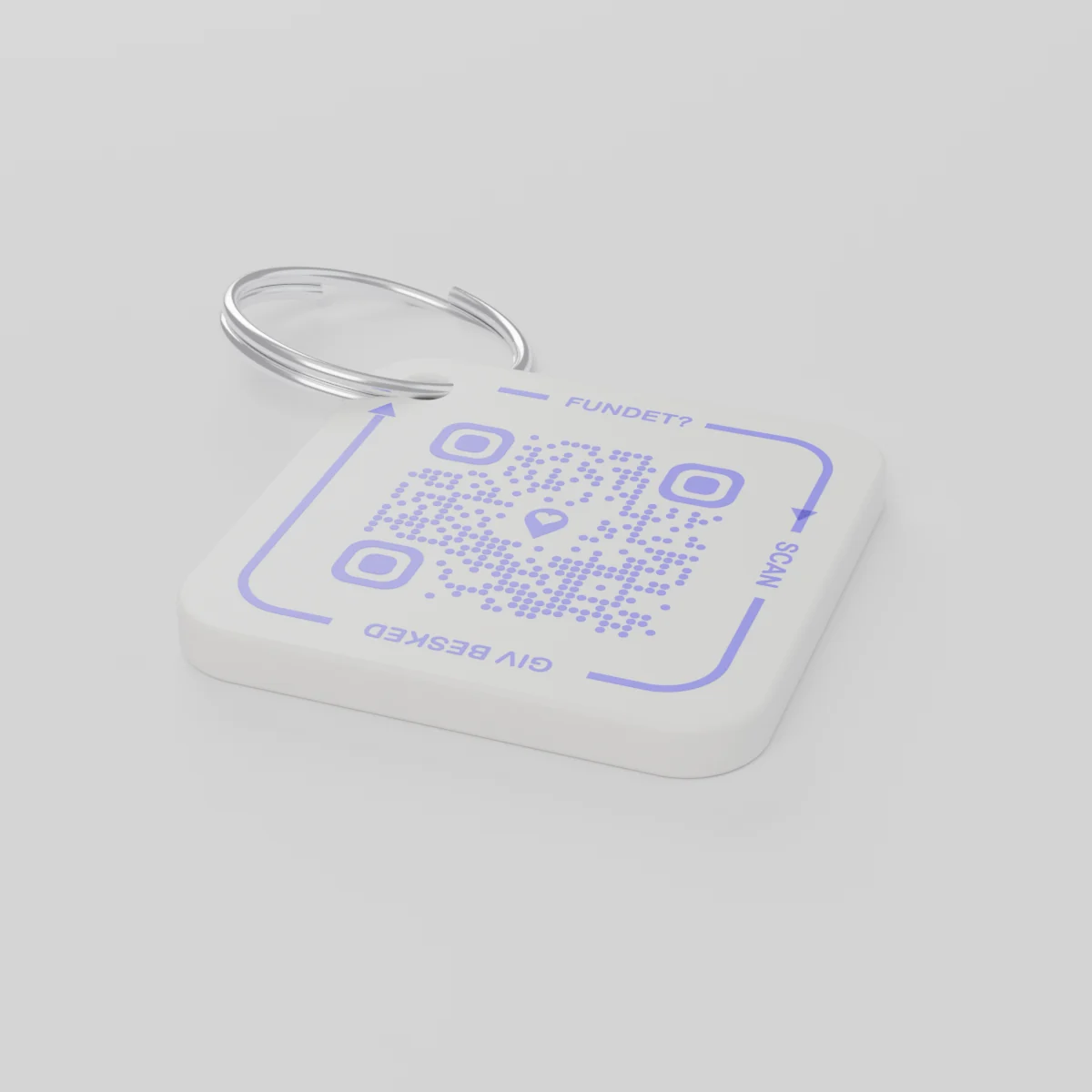
Nye iwu tupu ogeA ga-eziga ya n'agafeghị 14 Disemba 2026
AYA Keychain
Akara e biri n'ụzọ 3D maka igodo gị. Onye chọtara ha na-enyocha ya ma mee ka ị mara.
Ọnụahịa
Ọnụ ọgụgụ
koodu QR 1
1
Ọdịdị
Ọnụahịa bụ otu, n'agbanyeghị ihe unu họrọ.
Mkpokọta
€16.99
Afọ mbụ gụnyere
Ihe atụ sitere na ndụ kwa ụbọchị
Olee ebe igodo ndị ahụ gara?
- Ha si n'akpa uwe ya daa n'ime snow n'ahịa Krismas, ọ bụkwa n'ọnụ ụzọ ụlọ ya ka ọ chọpụtara.
- Onye ọzọ chọtara ha, were ekwentị nyochaa akara igodo ahụ.
- Ọ na-enweta ozi n'ekwentị ya, ha ekwekọrịta ebe a ga-ewere igodo ndị ahụ.
Onye chọtara ha anaghị ahụ nọmba gị ma ọ bụ adreesị gị.
AYA ka ọ bụ akara GPS?
Onye na-achọ ihe na-egosi ebe ihe dị. AYA na-eme ka onye chọtara ya nwee ike iweghachi ya.
GPS tracker, dịka AirTag
Na-enyere gị aka ịhụ ebe ihe dị.
- Ị nwere ike ịhụ ebe ihe ahụ dị
- Onye chọtara ya enweghị ụzọ dị mfe iji kpọtụrụ gị
- Ị ga-aga n'onwe gị buru ya
Ikpo okwu AYA
Na-enye onye chọtara ya ohere iweghachi ya ngwa ngwa.
- Onye chọtara ya na-akpọtụrụ gị site na otu scan - enweghị ngwa
- Na-amaghị onye ị bụ ma na-asụgharị ya n'asụsụ 117 n'onwe ya
- Na-arụ ọrụ nke ọma n'akụkụ GPS tracker gị
AYA ọ na-arụ ọrụ na-enweghị ngwaọrụ nsochi GPS ma ọ bụ AirTag?
Ee. AYA bụ ikpo okwu kọntaktị. Ọ na-arụ ọrụ naanị ya, ọ na-arụkwa ọrụ na ngwaọrụ nsochi.
What you can do
- More people can be told: share the tag with your partner, for example, so you are both told when someone finds the keys. See Share a product with the other parent.
- Report missing and offer a reward: if your keys go missing, tap Report missing in the settings. You are told at every scan and can write a message for whoever scans and offer a finder's reward. You settle it yourselves; AYA handles no money.
- Message for the finder: tap Edit to change the name, the message and What is it attached to? (for example House keys). Tap Save.
- See what the finder sees: open the tag and look at The finder sees, exactly what the finder will see.
- Pause: if you do not want to be contacted for a while, tap the Active button so it changes to Paused.
- 12 months or lifetime: the tag does not expire on its own. The platform plan takes care of renewal.
- Map and scan history: as on every AYA product.
What the finder sees
- "You found" with your name and keychain.
- Your message under Message from the owner, as you wrote it.
- Share my location, a voice call and a message with a photo to you. Your phone number is never shown.
- The AYA Keychain has no video call.
How to activate
- Put the tag on your keys and scan the QR code with your phone's camera. You can also tap Activate my AYA product on the home screen in the app.
- Enter your name under Your name. It is shown to the finder, so they know whose keys they are.
- If you like, write a Message for the finder, for example "Please hand them in at reception". The message is shown exactly as you write it and is not translated.
- If your account has no email address, you are asked to add one before the tag becomes active. With the email address you can log in from any device. See Add an email address.
- Activate. The tag now sits on the home screen in the app.
Never write your address or codes in the message for the finder. The message can be at most 160 characters.
Dịkwa na ngwugwu ndị a
Nkọwa ngwaahịa
- Ihe e ji mee ya
- Plastik PETG n'elu mgbanaka igwe e kewara
- Nha
- 42 × 42 × 4.2 mm
- Agba
- Ọcha nwere koodu QR na-acha vayolet
- Koodu QR
- E bipụtara ya na vayolet dịka akụkụ nke akara ahụ, pụrụ iche maka akara ọ bụla
- Ihe dị n'ime ngwugwu
- Akara 1 nwere mgbanaka
Nchekwa ngwaahịa
Ngwaahịa
AYA Keychain
Ụdị: AYA-KC-STD
Ozi nchekwa
- Ngwaahịa a abụghị ihe egwuregwu ụmụaka.
- O nwere obere akụkụ nwere ike ilo.