← Duk batutuwa
Amfanin yau da kullum
Messages and calls from a finder
How to answer a call from the person who found your child or your item, and where to find messages and photos.
When someone scans your product, they can call you or send a message straight from the scan page. Your phone number is never shown for wristbands and labels; everything goes through AYA.
When a finder calls
- Your phone gets a notification, such as Emma has been found with Someone wants to talk to you about Emma. Tap to answer. For a video call it says video chat instead.
- Tap the notification or Answer. The call opens in AYA.
- If the app is open, the call appears as a banner at the top of the screen with Answer and Decline.
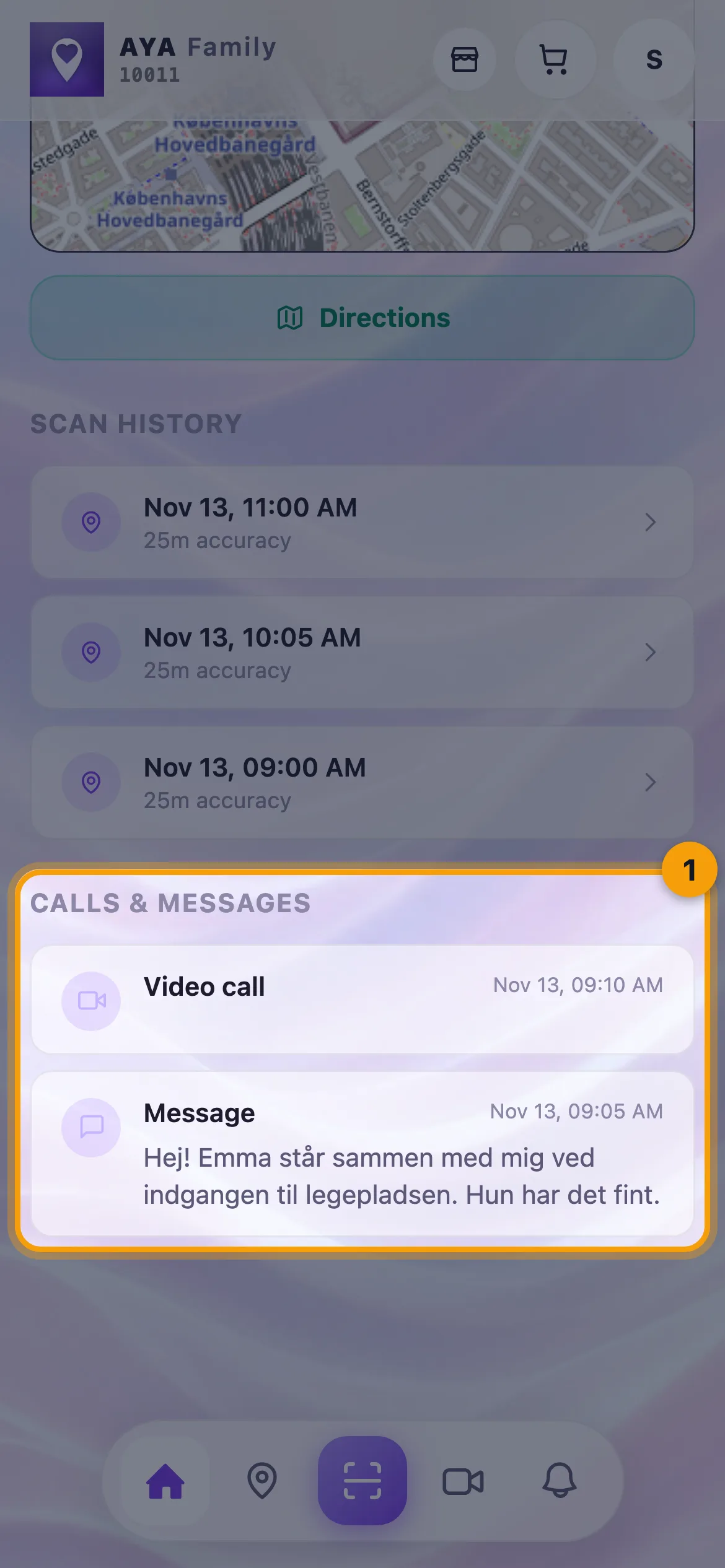
- When you hang up, you can find the call under Calls & messages on the product's page.
When a finder writes
- You get a notification with Message about Emma and the first words of the message.
- Tap the notification to open the product. The message and any photo are listed under Calls & messages.
Connect: right now and the inbox
Tap Connect in the bottom bar.
- Under Live you see who is on one of your scan pages right now, whether they have shared their location, and whether they are reading, have called or have messaged.
- Tap Contact to write to that person while they are still on the page.
- Under Inbox all calls and messages are gathered, including missed ones.
The finder's page works for 3 minutes after the scan. Answer quickly if you can.
Good to know
- A call rings on all your devices at once, and also for the people you share the product with.
- If you do not catch the call in time, you get a Missed call notification.
- If none of your devices can receive the notification, we send it to the email on your account instead.
- If the product is paused, the finder cannot contact you.
Ba ka sami amsar ba?
Rubuto mana