Trɔ yi fiase la me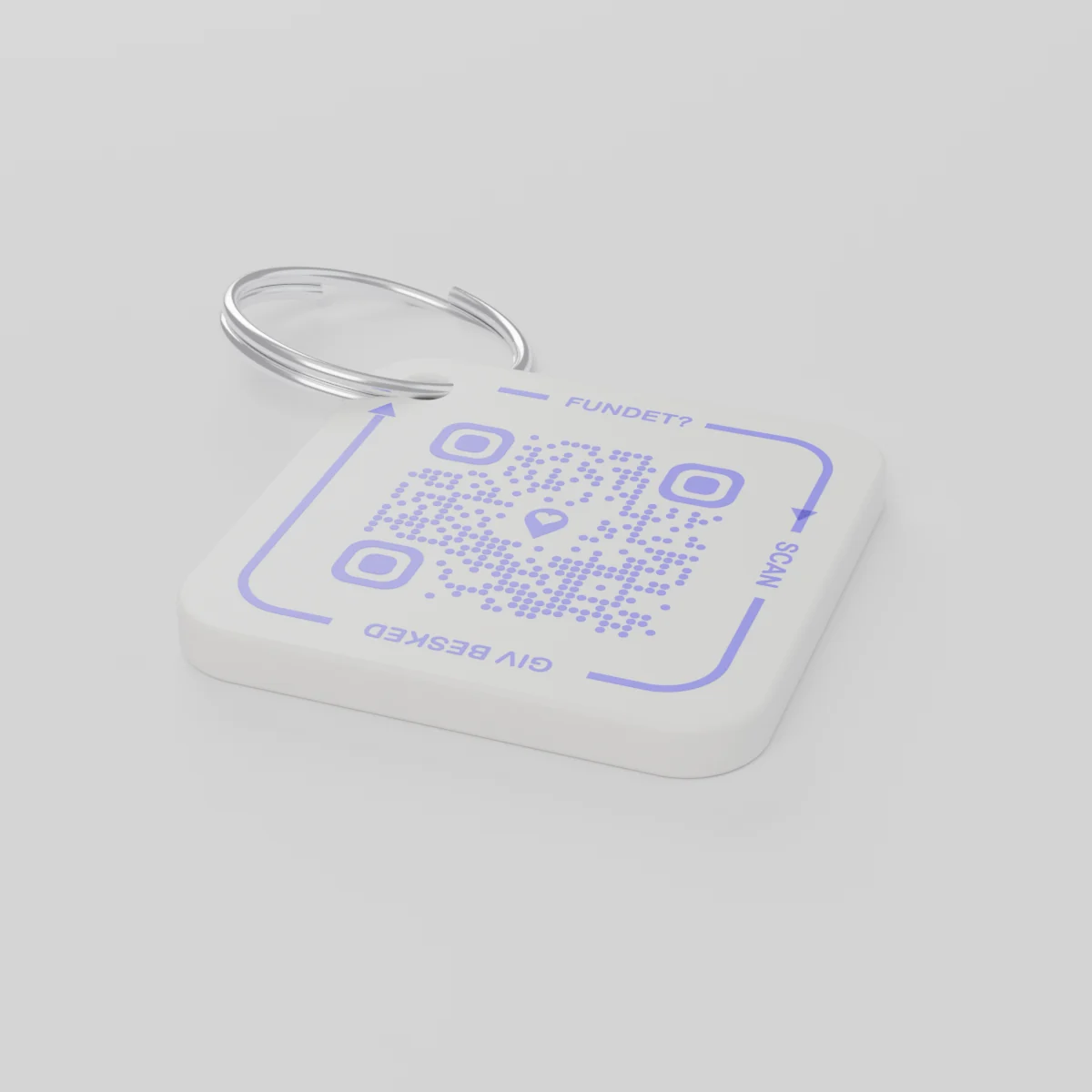
Ɖoe ɖi do ŋgɔWoaɖoe ɖa, matsi megbe wu dzome 14 lia 2026 o
AYA Keychain
Dzesi si wota kple 3D na wò safuiwo. Ame si ke ɖe wo ŋu la skanea eye wòna nènya.
Asixɔxɔ
Agbɔsɔsɔ
QR kod 1
1
Nɔnɔme
Asi la nye ɖeka, nu sia nu si nètia o.
Katã
€16.99
Ƒe gbãtɔ le eme
Kpɔɖeŋu tso gbe sia gbe gbenɔnɔ me
Afi kae safuiawo yi?
- Woge tso eƒe kotoku me dze sno me le Kristmas-asi la me, eye eƒe aƒe ƒe ʋɔtru nu ko wòva de dzesii le.
- Ame bubu kpɔ wo eye wòtsɔ fon skan safuidzesia.
- Exɔa gbedasi le eƒe fon dzi eye wòɖoa afi si woaxɔ safuiawo le.
Ame si kpɔe la mekpɔa wò nɔmba alo wò adrɛs o.
AYA alo GPS dzesi?
GPS fiamɔnu fiaa afisi nu le. AYA naa mɔ ame si ke ɖe eŋu be wòatsɔe agbugbɔ vɛ.
GPS fiamɔnu, abe AirTag ene
Kpena ɖe ŋuwò be nàkpɔ afisi nu la le.
- Àte ŋu akpɔ afisi nu la le
- Ame si ke ɖe eŋu la mekpɔ mɔ bɔbɔe aɖeke be wòaɖo gbɔwò o
- Ele be wò ŋutɔ nàyi aɖaxɔe
AYA ƒe dɔwɔƒe
Enaa mɔ ame si ke ɖe eŋu be wòatsɔe agbugbɔ vɛ.
- Ame si ke ɖe eŋu la ɖoa gbɔwò kple skan ɖeka - app mehiã o
- Ŋkɔmanɔmee eye woɖea egɔme le eɖokui si ɖe gbe 117 me
- Wɔa dɔ nyuie kple wò GPS fiamɔnu
Ɖe AYA wɔa dɔ ne GPS tracker alo AirTag meli o?
Ɛ̃. AYA nye kadodo ƒe platform. Ewɔa dɔ ɖe eɖokui dzi eye ewɔa dɔ nyuie kple tracker hã.
What you can do
- More people can be told: share the tag with your partner, for example, so you are both told when someone finds the keys. See Share a product with the other parent.
- Report missing and offer a reward: if your keys go missing, tap Report missing in the settings. You are told at every scan and can write a message for whoever scans and offer a finder's reward. You settle it yourselves; AYA handles no money.
- Message for the finder: tap Edit to change the name, the message and What is it attached to? (for example House keys). Tap Save.
- See what the finder sees: open the tag and look at The finder sees, exactly what the finder will see.
- Pause: if you do not want to be contacted for a while, tap the Active button so it changes to Paused.
- 12 months or lifetime: the tag does not expire on its own. The platform plan takes care of renewal.
- Map and scan history: as on every AYA product.
What the finder sees
- "You found" with your name and keychain.
- Your message under Message from the owner, as you wrote it.
- Share my location, a voice call and a message with a photo to you. Your phone number is never shown.
- The AYA Keychain has no video call.
How to activate
- Put the tag on your keys and scan the QR code with your phone's camera. You can also tap Activate my AYA product on the home screen in the app.
- Enter your name under Your name. It is shown to the finder, so they know whose keys they are.
- If you like, write a Message for the finder, for example "Please hand them in at reception". The message is shown exactly as you write it and is not translated.
- If your account has no email address, you are asked to add one before the tag becomes active. With the email address you can log in from any device. See Add an email address.
- Activate. The tag now sits on the home screen in the app.
Never write your address or codes in the message for the finder. The message can be at most 160 characters.
Nudzadzra ŋuti nyatakakawo
- Nu si wotsɔ wɔe
- PETG plastik le ga klosalo dzi
- Lolome
- 42 × 42 × 4.2 mm
- Amadede
- Ɣi kple QR kod blɛ
- QR kod
- Wota blɛ abe dzesi la ƒe akpa aɖe ene, eto vovo na dzesi ɖesiaɖe
- Nu siwo le eme
- Dzesi 1 kple ga klosalo
Nudzadzra ƒe dedienɔnɔ
Nudzadzra
AYA Keychain
Ƒomevi: AYA-KC-STD
Dedienɔnɔ ŋuti nyatakaka
- Nudzadzra la menye fefenu o.
- Nu suesuewo le eme siwo ame ate ŋu ami.