← Барлык темалар
Берәр нәрсә таптыгызмы?
Found a child or an item with AYA?
How to help after you have scanned an AYA QR code on a wristband, a name label or another item.
You have scanned an AYA QR code with your phone, and now you are with a child or an item that belongs to someone else. Helping takes less than a minute, and you do not need to install anything.
How to help
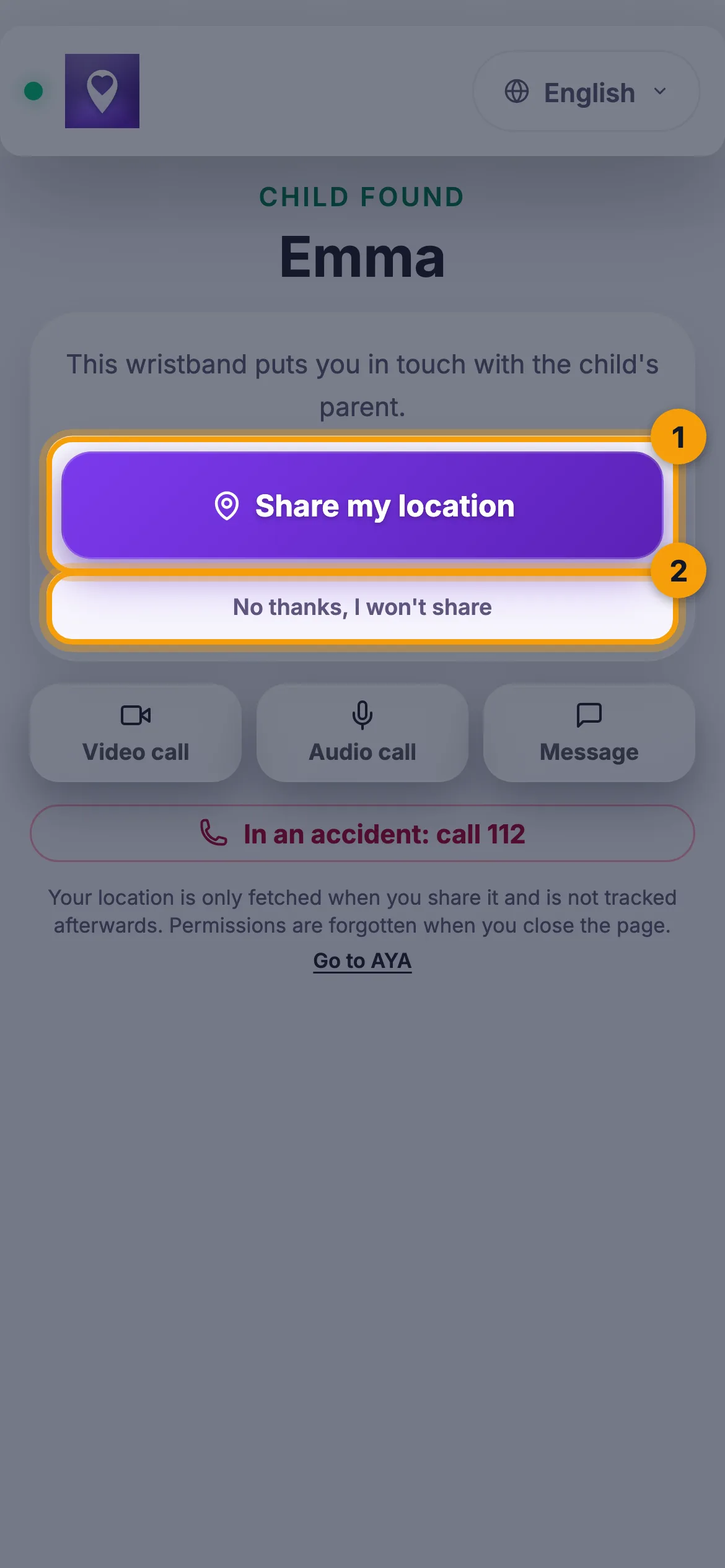
- Read the name at the top. A wristband shows the child's name; a name label shows something like "You found Emma's Winter jacket".
- Tap Share my location so the owner can see where you are. Your phone first asks for permission to use your location.
- If you would rather not share your location, tap No thanks, I won't share. The owner is still told that the code was scanned.

Contact the owner
- Tap Video call or Audio call to call through AYA. If nobody answers, you see "No answer. Send a message instead."
- Tap Message to write to the owner. You can tap Add photo, for example a picture of where the item was, and then Send message.
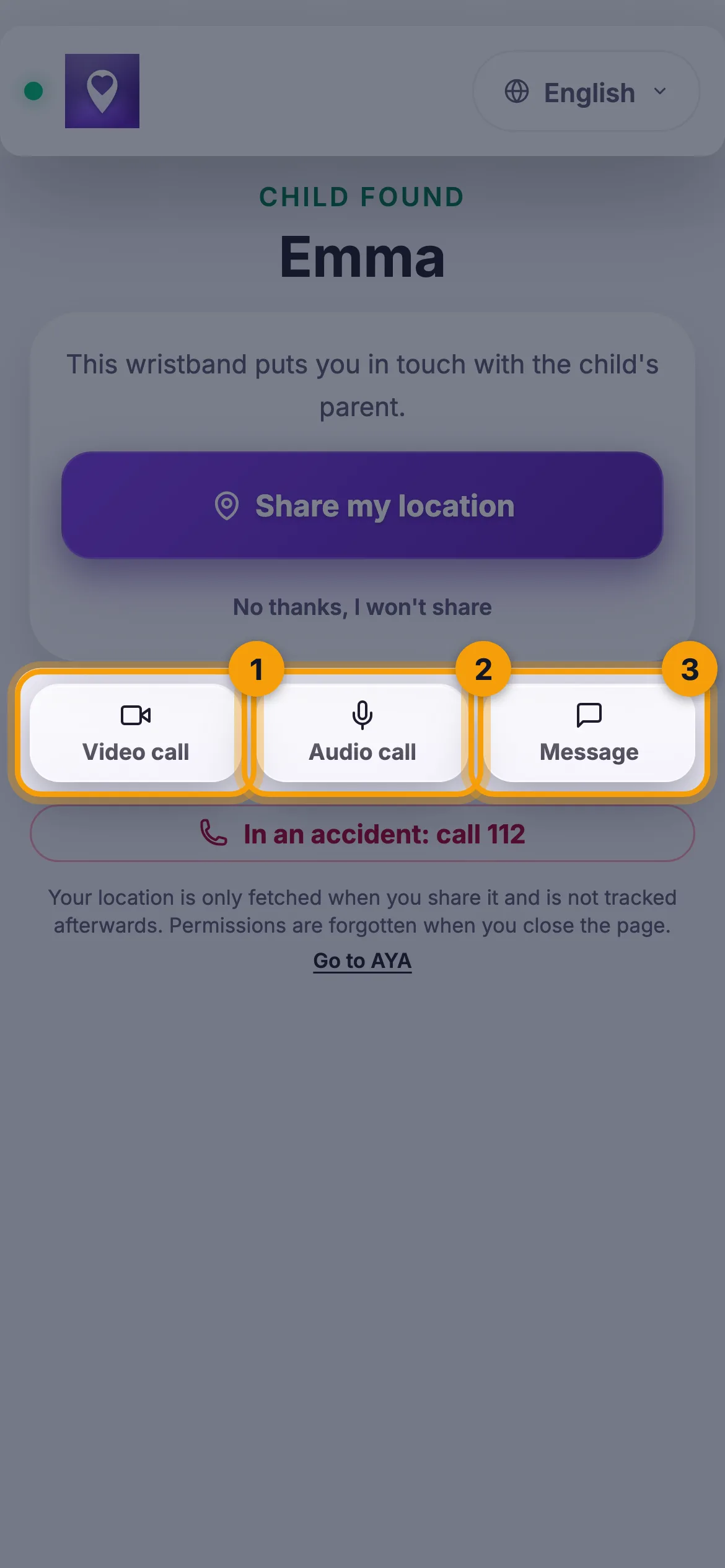
The owner's phone number is never shown on wristbands and name labels. Calls and messages go through AYA, so neither you nor the owner share numbers.
Good to know
- A wristband also has a button with the local emergency number, for example In an accident: call 112. If the child is hurt or in danger, always call that number first.
- The page works for 3 minutes after you scan. After that you see "Scan the wristband again" or "Scan the QR code again", so an old page never sends a wrong location. Just scan the code again.
- Your location is only fetched when you tap the button yourself, and it is not tracked afterwards. Permissions are forgotten when you close the page.
- If the owner has paused the product, you only see the first letter of the name.
- On a reusable wristband for an older person, the owner may have written a short note under Important to know, for example about medication or illness. What the owner has written is shown as written and is not translated.
- If you got a notification that someone nearby is searching for a child, you can tap Help search. You receive no personal information about the person being searched for, and you can always tap Stop helping.
- If the page is empty or shows an error, see The code does not work or has expired.
Җавапны тапмадыгызмы?
Безгә языгыз