← ኩሎም ኣርእስትታት
ፍርያትካ
Name labels with a QR code
How to activate and look after your name labels: choose what the label is on, change the item, and keep an eye on the expiry after 12 months.
Name labels go on clothes, shoes, water bottles and the other things children forget. Your child's name is printed on the label, and a finder can let you know by scanning the QR code.
How to do it
- Scan the QR code on a label, or tap Activate my AYA product on the home screen.
- Write the owner's name, choose what the label is on (for example a jacket or a water bottle) and activate. See Activate your first product.
- The label now sits on the home screen with your labels. Open it and tap the cog (Settings).
- Under Item you can change what the label is on.
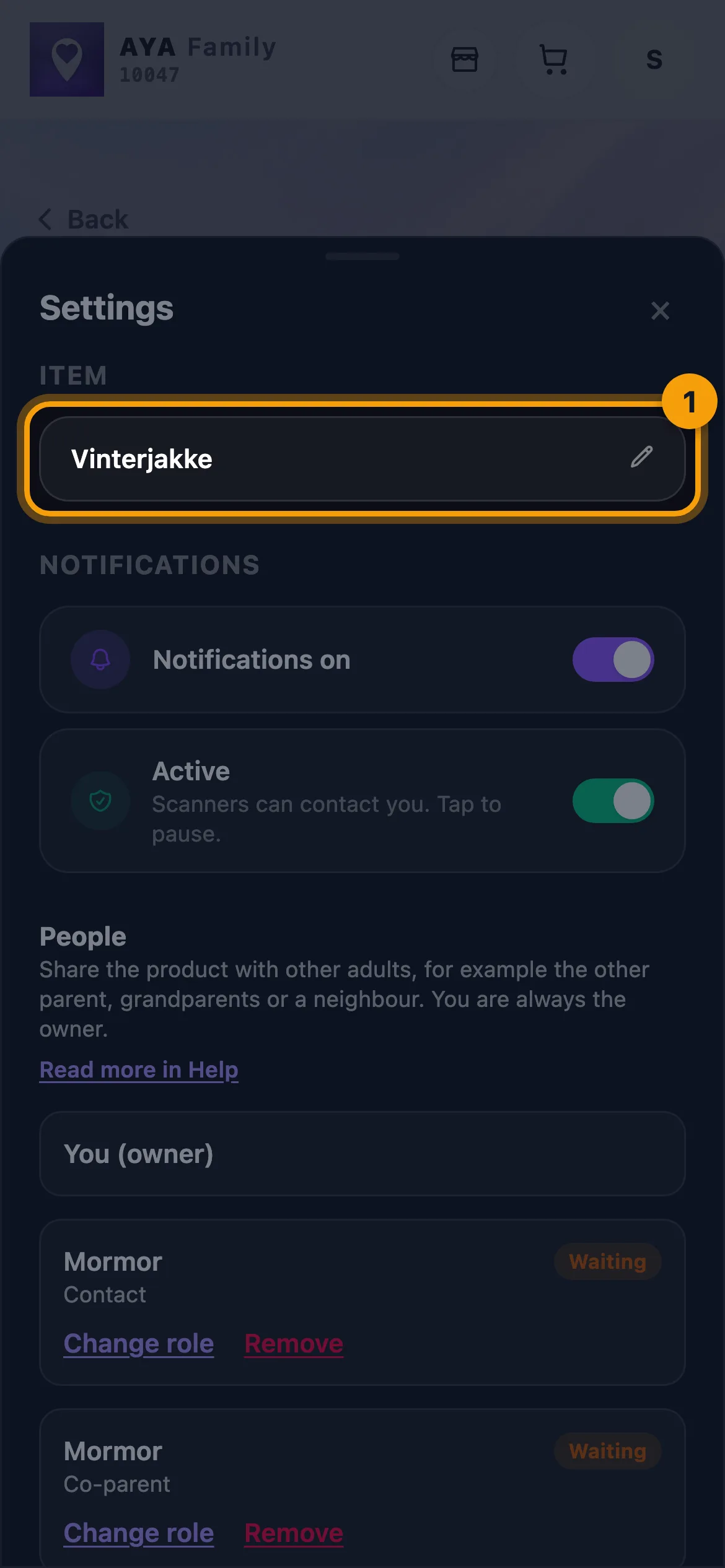
Your child's name is printed on the label, so it cannot be changed in the app. Only the item can be changed.
What the finder sees
- For example "You found Emma's winter jacket".
- Share my location or No thanks, I won't share.
- Video call, voice call and a message with a photo to you. Your phone number is never shown.
Good to know
- A label works for 12 months from activation. The label's page shows how many days are left.
- Labels cannot be extended. 30 days before expiry and after expiry the label shows a message, and an AYA security mark can replace it (See the Security Mark).
- Labels you have not activated yet are shown on the home screen as Labels ready to activate. They still work; scan a label to activate it.
- Name labels are no longer sold, but the ones you have work for the whole period.
መልሲ ኣይረኸብካን ዲኻ?
ጽሓፈልና