← සියලු මාතෘකා
පවුල සමඟ බෙදා ගැනීම
Accept a share
Got a link, a QR code or an email about a shared AYA product? Here is how to accept it and find the product in your app.
If another parent, a family member or a friend has shared an AYA product with you, you get a link, a QR code or an email. Here is how to accept.
How to do it
- Open the link on your own phone, or scan the QR code with the camera.
- At the top it says who is sharing and whether you become a co-parent or a contact. Under This is about: you see the products the share covers.
- Tap Accept. You do not need to create an account first; AYA sets it up on your phone, just like at activation.
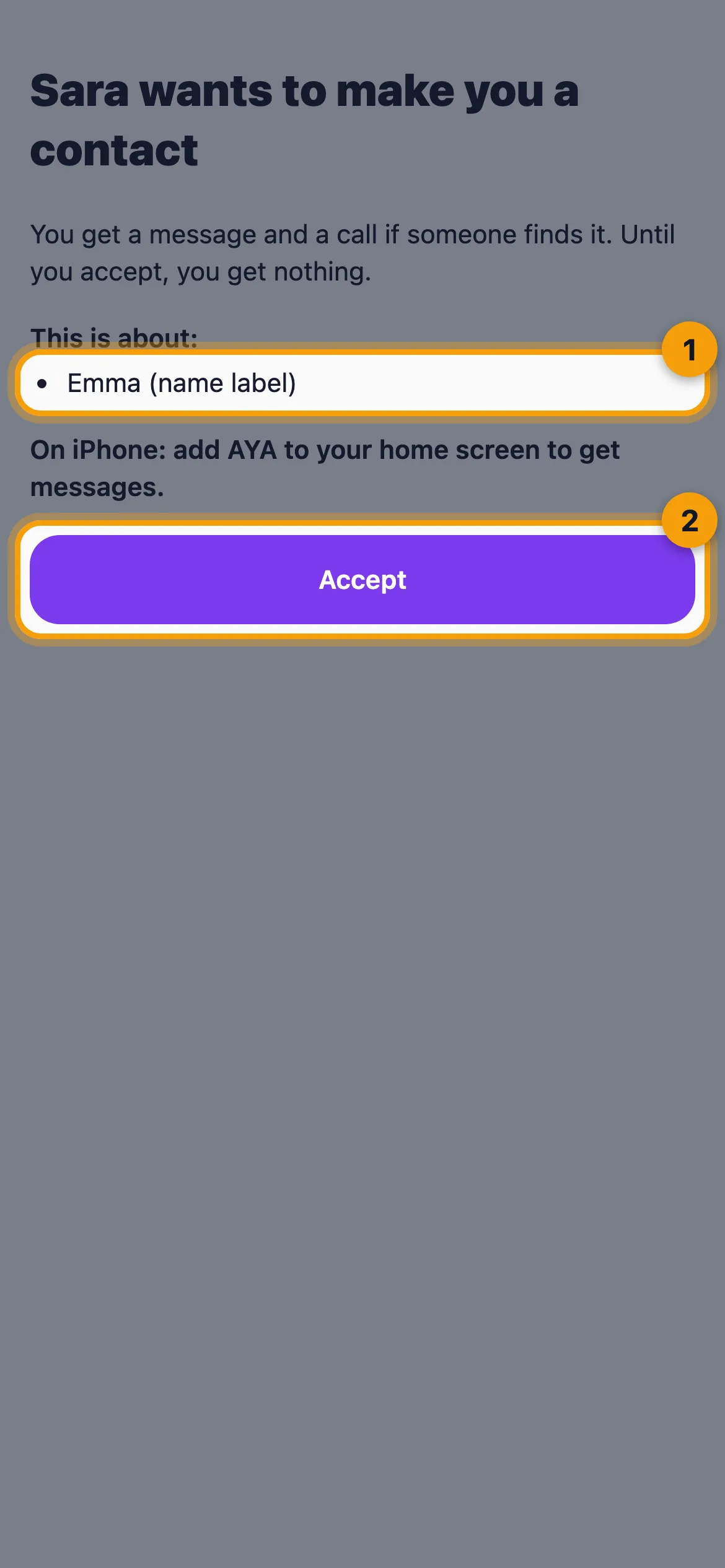
- When it says Thank you. You now have access., tap Open the app.
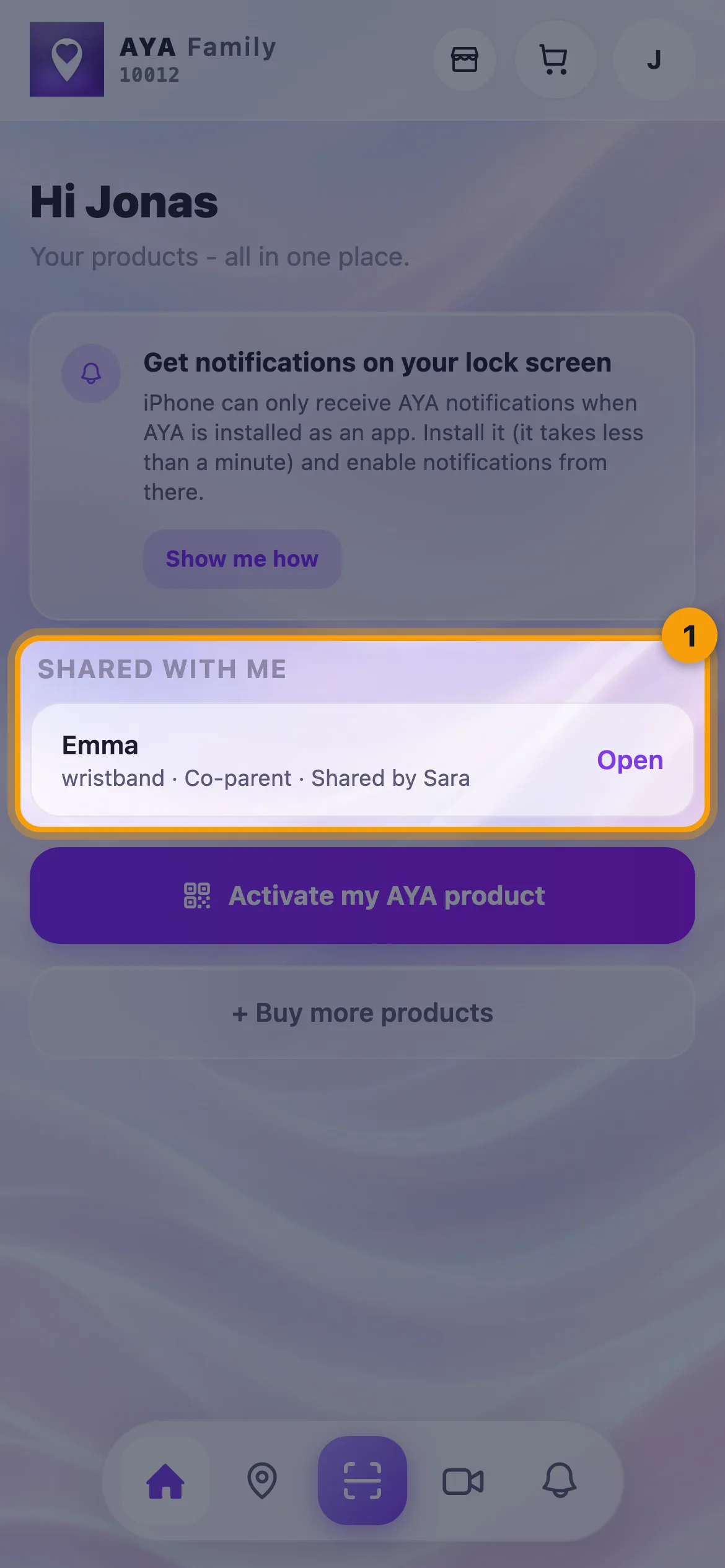
- On the home screen the product now sits under Shared with me with your role and Shared by and the owner's first name. Tap Open.
Did the invitation come by email?
Then you need to log in with the email address the invitation was sent to. The page says Log in with the email address the invitation was sent to. Then you can accept. Once you are logged in, tap Accept.
If you want to stop again
- As a co-parent you see a banner at the top of the product. Tap Leave the sharing and then Yes, stop.
- As a contact you open your page under Shared with me and tap Stop getting messages and then Yes, stop.
Good to know
- A link works once and is valid for 14 days. If it says The invitation has expired. Ask the owner for a new one. or The invitation has already been used., ask the owner for a new link.
- You only see the owner's first name, never their phone number or email.
- You get messages as push notifications, and by email if you have an email address on your account. AYA never sends text messages.
පිළිතුර හමු නොවීද?
අපට ලියන්න