← ସମସ୍ତ ବିଷୟ
ବ୍ୟବହୃତ ଜିନିଷ କିଣିବା
Buying something second-hand? Check it in the AYA register
Look up a serial number, IMEI, MAC address or frame number before you buy a used computer, phone or bike.
If you are about to buy a used phone, computer or bike, you can see in seconds whether it is owner-marked with an AYA security mark. You do not need an account, and you do not have to share anything about yourself.
How to check
- Open the AYA register on ayafamily.dk.
- Under What device are you holding? choose the type, for example Mac, iPhone or Bicycle.
- Enter the device's number in the field. The page shows which number is needed and where to find it.
- Tap Look up.
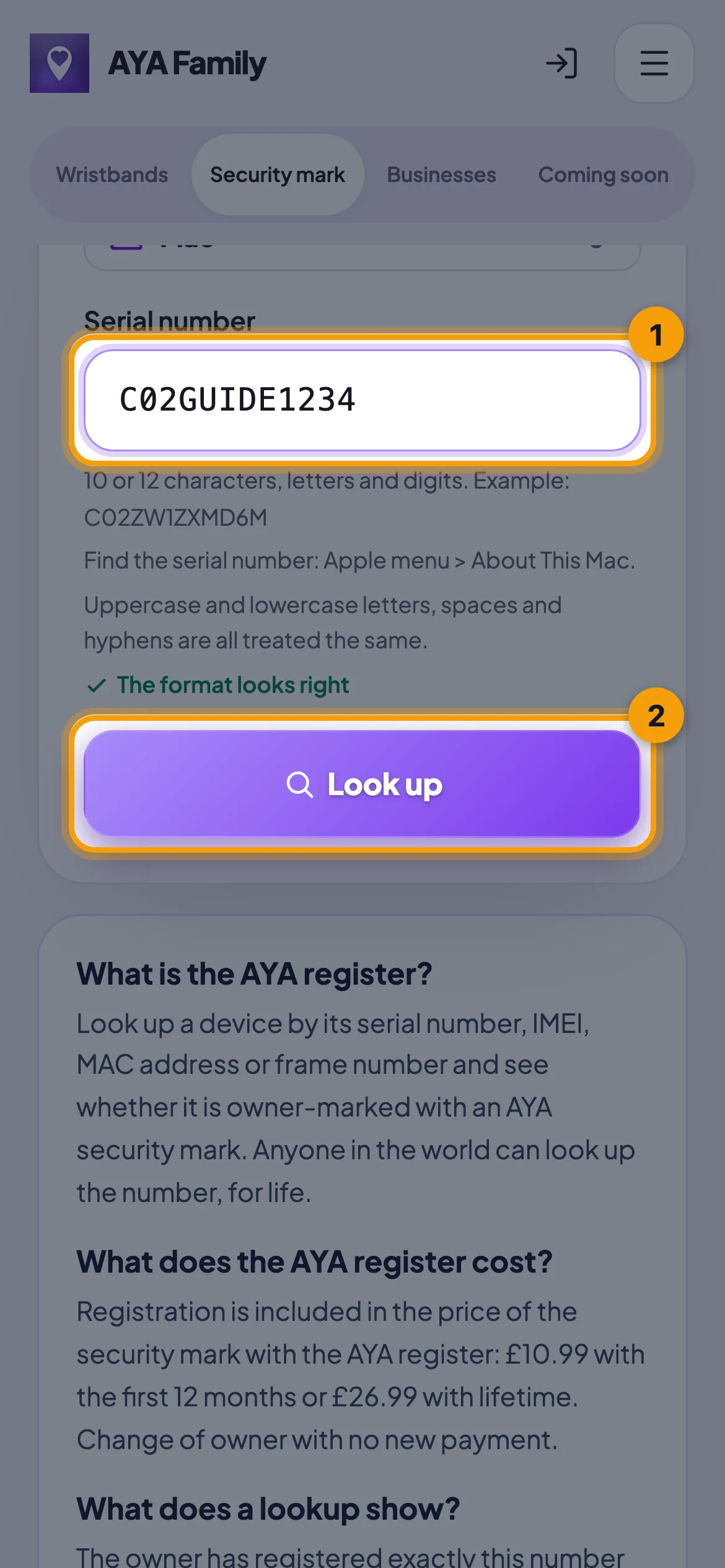
There is only a hit when the device type and the whole number match. Upper or lower case, spaces and hyphens do not matter.
What the answer means
- This device is owner-marked: the number is registered with an AYA security mark. Ask the seller whether they are the owner, and ask them to hand the mark over to you in AYA. You can also contact the owner anonymously.
- Not found in the register: the number is not registered with AYA. That does not mean the item has no owner, only that it is not owner-marked here. Check that you chose the right type, and try the other number if the device has both an IMEI and a serial number.
Good to know
- The seller can give you the mark while it is still active. You get a link, and the product becomes yours when you tap Accept. See Accept a product from someone else.
- If the seller has instead removed the product from their app, you can activate the QR code yourself. You get the time that is left.
- A mark in the register keeps its locked device ID with the new owner, so the number always matches the item.
ଉତ୍ତର ମିଳିଲା ନାହିଁ କି?
ଆମକୁ ଲେଖନ୍ତୁ