← ခေါင်းစဉ်အားလုံး
ပိုင်ဆိုင်မှုနှင့် လွှဲပြောင်းခြင်း
Remove a product from your app
Release the QR code, so the product disappears from your app and someone else can activate it with the time that is left.
If you no longer use the product, or you have given it away, you can remove it from your app. The QR code becomes available, so the next person can activate it.
How to do it
- Open the product and tap the cog (Settings).
- Scroll to the bottom and tap Remove from my app (Release the QR code so someone else can activate it).
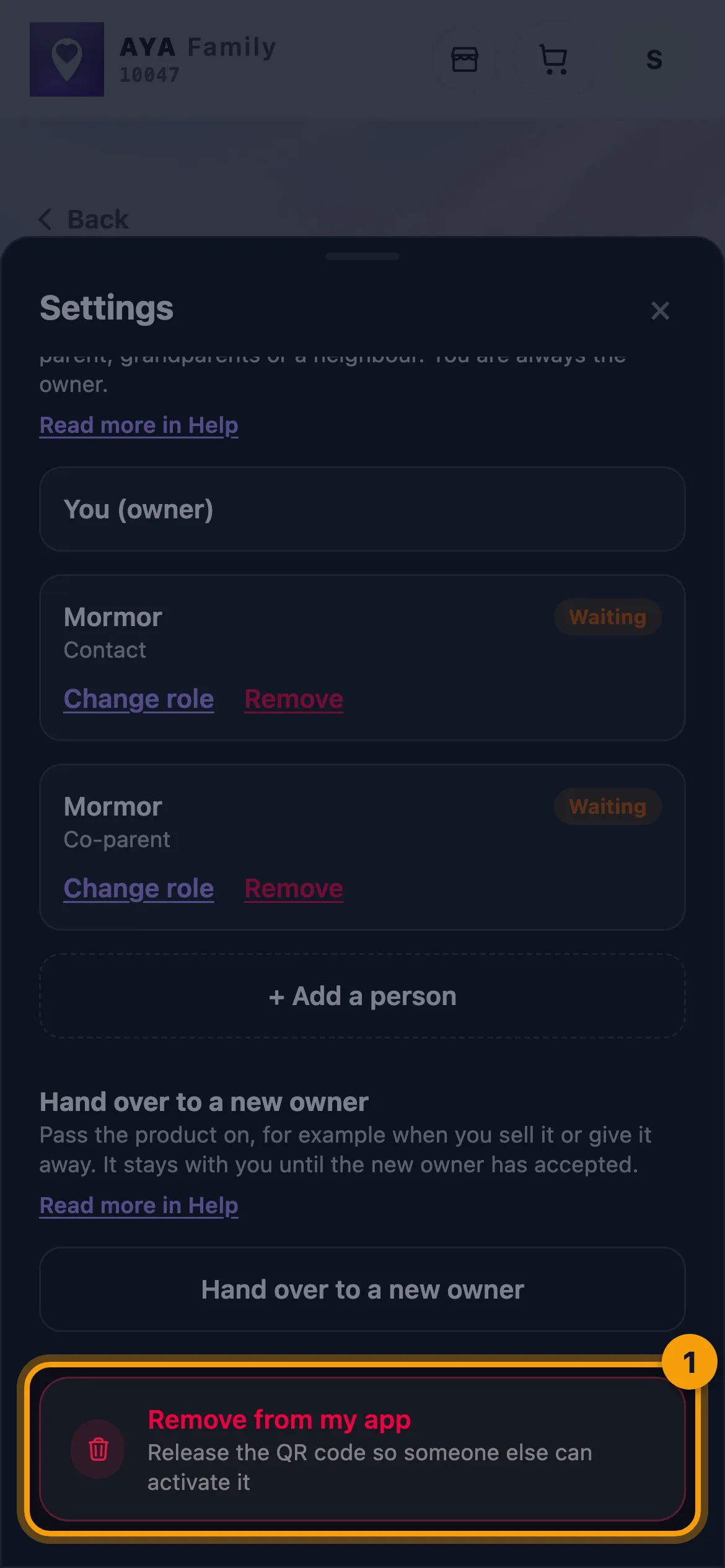
- Read the text under Remove from your app?.
- Tap Yes, remove. If you change your mind, tap Cancel.
This cannot be undone. If the product is going to a particular person, Hand a product over to a new owner is the safe choice, because then only that person can take it.
What happens when you remove a product
- The name, scan history, messages, notes and the people you shared with are deleted.
- The QR code becomes available. The first person who scans and activates it becomes the new owner.
- The expiry time is not extended. The next owner gets the time that is left.
- A security mark in the AYA register keeps its locked device ID, so the device still shows as owner-marked for the next owner.
- If it is a security mark on a suitcase, you can choose Pass the travel history on to the next owner. Only place and time come along, nothing personal.
Good to know
- Only the owner can remove a product. A co-parent can leave the sharing instead.
- If you just want a break, pause the product instead. See Pause a product.
အဖြေ မတွေ့ဘူးလား?
ကျွန်ုပ်တို့ထံ စာရေးပါ