← ຫົວຂໍ້ທັງໝົດ
ຜະລິດຕະພັນຂອງທ່ານ
The security mark for things and devices
How to activate an AYA security mark with or without the AYA register, what you can do in the app, what the finder sees, and how to renew the mark.
The security mark is a QR sticker for your things. It comes in two versions: with AYA register for things with a serial number, for example a Mac, a phone or a bike, and without register for things without a serial number, for example a passport or a bag. If someone finds it, they scan the mark and let you know.
How to activate
- Put the mark on the thing and scan it with your phone's camera. You can also tap Activate my AYA product on the home screen in the app.
- Mark with the AYA register: choose the device and enter The device's unique number (serial number or IMEI). You do not enter a name: the mark is named after the device, for example "Mac". The device is in the AYA register as soon as the mark is active, and registration is included in the price.
- Mark without the register: enter your own name under Name, not what the thing is, and choose what the mark is on. The finder sees the name together with the thing, for example "Sara's passport". The mark cannot be used for things with a serial number.
- If your account has no email address, you are asked to add one before the mark becomes active. With the email address you can log in from any device. See Add an email address.
- Activate the mark. It now sits on the home screen in the app.
What you can do
- The AYA register (the mark with the register): anyone can look up a serial number, see that the device is owner-marked and contact you anonymously. See The AYA register.
- Report missing: if the thing goes missing, tap Report missing in the settings. You are told at every scan and can write a message for whoever scans.
- Told straight away: you get a push notification and an email when someone scans the mark.
- 12 months or lifetime: the mark is valid for the period you bought and can be renewed.
- New owner: if you hand the mark over, the remaining time and the registered device ID come along. See Hand a product over to a new owner.
- Map, scan history, sharing and pause: as on every AYA product.

What the finder sees
- What they have found. On a mark without the register, your name stands together with the thing, for example "Sara's passport". On a mark with the register, the device stands there, for example "the owner's Mac", until you give the mark a name in the app yourself. See Edit the name and notes on a product.
- Share my location, a voice call and a message with a photo to you. Your phone number is never shown.
- On a mark with the register: a link to the AYA register, where the device is shown as owner-marked.
- The security mark has no video call.

The AYA register
- Once the device is in the register, the device type and serial number are locked and cannot be changed.
- The locked device ID stays on the mark, even if it gets a new owner.
- Suitcases and keys have their own AYA products and cannot be chosen on a security mark. See Luggage tag and AYA Keychain.
Renewal
- From 30 days before expiry the mark's page says Expires soon. Renew to keep the QR functions active.
- Tap Renew 12 months with the price, and pay.
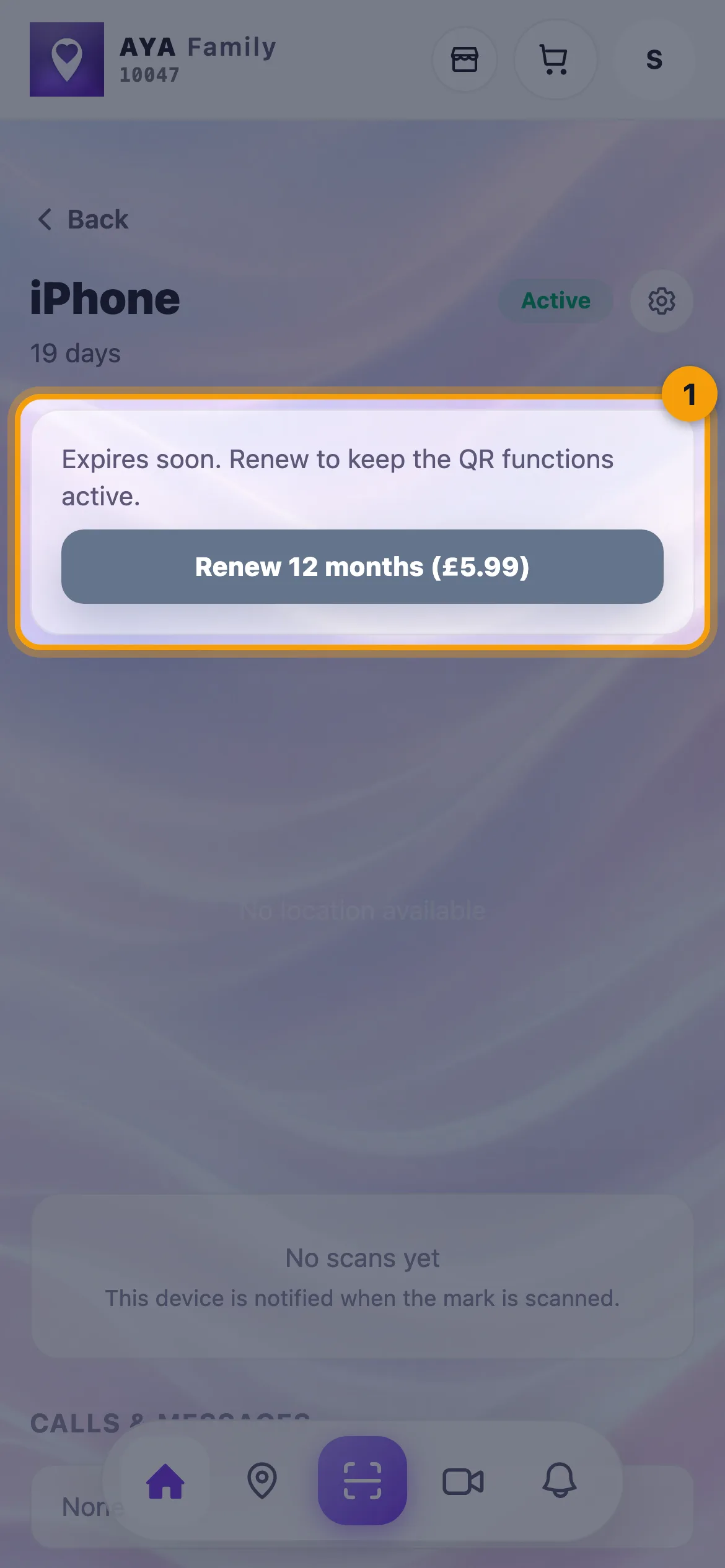
If the mark expires, its QR functions are paused until you renew.
- If automatic renewal is available to you, you see the card Automatic renewal on the mark's page. Tap Turn off or Turn on. You are told 30 days before, and MobilePay is not renewed automatically.
- If you bought the mark yourself with a yearly renewal, Yearly renewal is shown on the mark's page. There you stop the renewal with Cancel renewal and undo it with Undo cancellation for as long as the paid period runs.
ບໍ່ພົບຄຳຕອບບໍ?
ຂຽນຫາພວກເຮົາ