← ሁሉም ርዕሶች
መጀመር
Turn on notifications
How to get an alert straight away when someone scans your child's wristband or your items.
Notifications are how AYA tells you straight away when someone scans your wristband, label or mark. Turn them on as soon as you have activated your first product.
How to turn them on
- Open AYA. On the home page you see the Complete notification setup card.
- Tap Enable notifications.
- Your phone asks whether AYA may send notifications. Tap Allow.
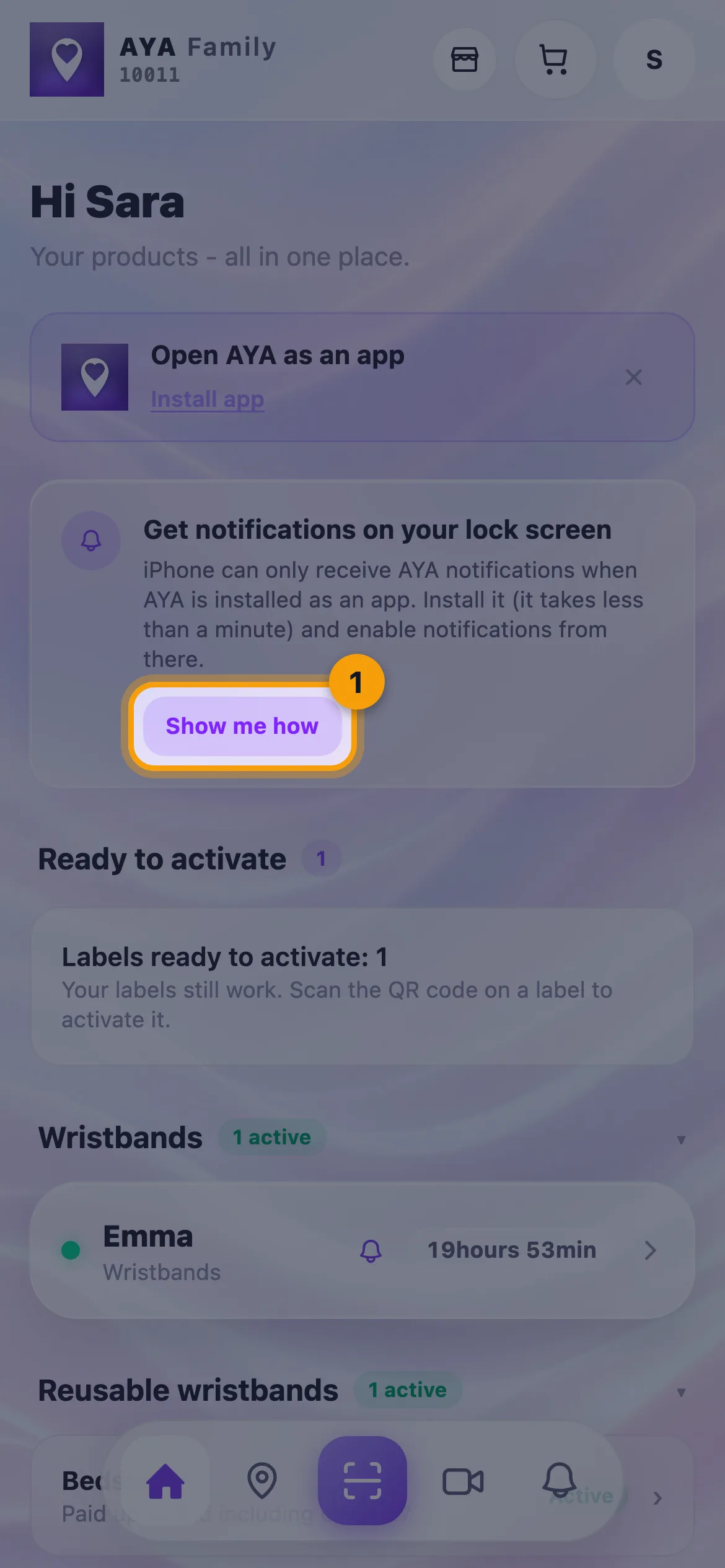
On iPhone, AYA has to be on your home screen before you can get notifications. If you see the Get notifications on your lock screen card, tap Show me how and follow Add AYA to your home screen.
In Settings
- Tap your profile in the top right.
- Under Push notifications you can tap Enable notifications. Once they are on, it says Notifications on.
- Below that you see each of your products, and you can turn notifications on and off for each product.
Good to know
- AYA never sends SMS. The notification comes first. If your account has an email, you are also told there if the notification does not get through.
- If it says Notifications blocked, you said no on your phone. Open your phone's Settings, find AYA and turn on Notifications.
- You can also turn notifications off for one particular product in that product's settings (the gear icon).
- The first time you open AYA, you may see the Notifications required window. Tap Set up later if you want to wait.
መልሱን አላገኙትም?
ይጻፉልን